
voco tv iptv tutorialsvocotv iptv streaming
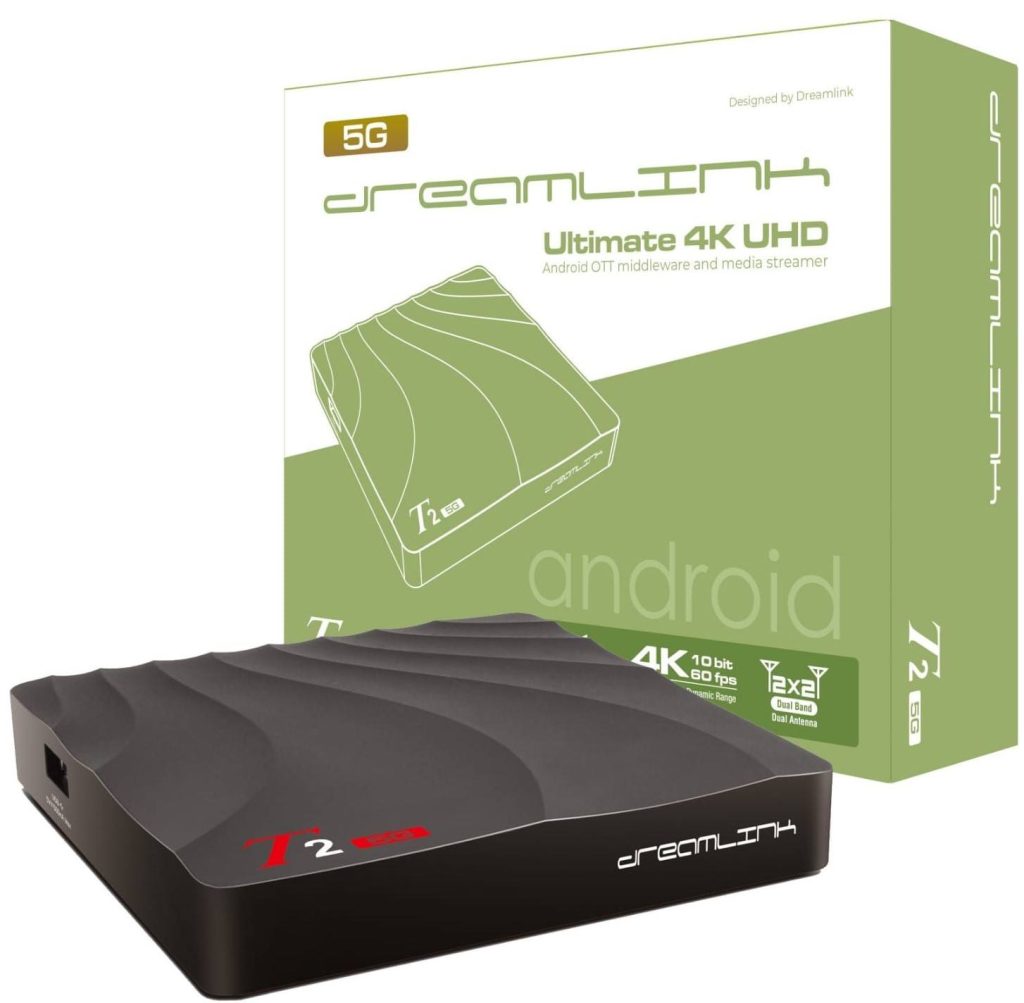
Dreamlink IPTV 2026 – How to Install VocoTV with DreamOnline Player, DOL2, Portal URL and MAC Address
Dreamlink IPTV setup is different from Firestick, Android phone, iPhone, Samsung TV or LG TV. A Dreamlink box normally uses DreamOnline Player, also called DOL2 on many Dreamlink T1 and T2 devices. Instead of typing a normal username and password inside a mobile IPTV app, Dreamlink usually connects through a Portal URL and sometimes a registered MAC Address.
This VocoTV tutorial shows how to install and activate Dreamlink IPTV correctly in 2026. It covers Dreamlink T1, Dreamlink T1 Plus, Dreamlink T2, Dreamlink T3, Dreamlink DLite, DreamOnline Player, DOL2, portal URL setup, MAC address registration, MOL2-style setup, M3U fallback, Android app fallback, buffering fixes, STB blocked errors and safe account handling.
The focus keyphrase for this page is Dreamlink IPTV. The article is written as a real tutorial, not a generic IPTV article. The main method is DreamOnline Player / DOL2. Android apps are included only as fallback options for Android-based Dreamlink boxes that support app installation.
Important: never publish your VocoTV portal URL, username, password, M3U link, MAC ID, server URL or Xtream Codes details. Dreamlink portal access is private and should be used only inside your own device after your VocoTV free trial or subscription is active.

Best VocoTV Setup Method by Dreamlink Device
Dreamlink boxes are not all the same. Older models often use DreamOnline / DOL2. Newer Dreamlink or Formuler-style boxes may use MOL2 or MyTVOnline-style portal setup. Some Android-based models may also allow app installation, but that is not the first Dreamlink method.
| Dreamlink device | Best first method | What VocoTV needs | Best for |
|---|---|---|---|
| Dreamlink T1 / T1 Plus | DreamOnline Player / DOL2 | Portal URL and MAC address if required | Classic Dreamlink IPTV portal setup |
| Dreamlink T2 | DreamOnline Player / DOL2 | Portal URL and MAC address if required | Stable TV-style IPTV with remote control |
| Dreamlink T3 | MOL2 / MyTVOnline-style Add Portal | Portal URL or M3U playlist depending on account type | Newer portal and playlist setup |
| Dreamlink DLite | Portal setup | Portal name and portal URL | Simple IPTV portal viewing |
| Android-based Dreamlink box | DreamOnline first, Android app fallback second | VOCO TV MATE, IBO Player or VocoTV OTT only if supported | Backup setup if portal method is not ideal |
Live VocoTV Links for Dreamlink IPTV Setup
Use these live VocoTV pages for Dreamlink IPTV setup, trial, subscription, troubleshooting, account access and support. These are live VocoTV links, not guessed sitemap links.
- VocoTV Official Website
- VocoTV IPTV Installation Guide
- VocoTV IPTV Free Trial
- VocoTV IPTV Subscription Plans
- VocoTV IPTV FAQ
- VocoTV Troubleshooting Guide
- VocoTV IPTV Reseller Program
- VocoTV IPTV Affiliate Program
- VocoTV Login
- VocoTV Sign Up
- VocoTV Refund Policy
- VocoTV Privacy Policy
What You Need Before Installing Dreamlink IPTV
Before you start the Dreamlink IPTV setup, prepare the right details. Dreamlink portal setup fails most often because the portal URL is typed wrong, the MAC address is not activated, or the box has no stable internet connection.
- A Dreamlink box connected to your TV by HDMI.
- Stable internet connection, preferably Ethernet.
- DreamOnline Player / DOL2 installed on the Dreamlink box.
- Your VocoTV portal URL from your VocoTV setup email or support.
- Your Dreamlink MAC address if VocoTV needs MAC activation.
- Your VocoTV account active through free trial or subscription.
- Remote control with working OK, Back, Menu and arrow buttons.
If you do not have an active account yet, start with VocoTV IPTV Free Trial. If you already tested and want a plan, use VocoTV IPTV Subscription Plans.
Method 1: Install Dreamlink IPTV with DreamOnline Player / DOL2
This is the main method for Dreamlink T1, T1 Plus and T2-style devices. Use DreamOnline Player, also called DOL2, when your VocoTV account is prepared for portal URL or MAC-based IPTV setup.
Step 1: Open My Apps
- Turn on your Dreamlink box.
- Wait for the home screen to load.
- Use the remote to open My Apps.
- Look for DreamOnline, DreamOnline 2 or DOL2.
If DreamOnline / DOL2 is missing, go to the Market folder, search for DreamOnline or DOL2, install it, then return to My Apps.

Step 2: Open DreamOnline / DOL2
- Select DreamOnline or DOL2.
- Wait for the service menu to appear.
- Look for the MAC address shown inside the app or on the service screen.
- If VocoTV asks for the MAC address, send the exact MAC address to VocoTV support for activation.
Do not guess the MAC address. Use the MAC shown inside DreamOnline / DOL2 if that is the one VocoTV requests. Some boxes show more than one ID, so use the one requested for portal activation.
Step 3: Edit Service
- Inside DreamOnline / DOL2, choose Edit Service.
- Select Click Edit or press OK on the editable service slot.
- Enter a service nickname such as VocoTV.
- Move to the Portal URL field.
Step 4: Enter the VocoTV Portal URL
- Enter the VocoTV portal URL exactly as supplied.
- Keep the correct http:// or https:// prefix if it is included.
- Do not add spaces before or after the URL.
- Do not change letters, numbers, dots, dashes or port number.
- Leave certificate unchecked unless VocoTV support says otherwise.
- Leave User ID and Password empty if your VocoTV Dreamlink setup is portal/MAC based.
- Press OK to save.
In many DreamOnline / DOL2 portal setups, username and password are not needed on the box because the device connects through the portal URL and MAC activation. Only enter username/password if VocoTV specifically gives you a Dreamlink login method that requires it.

Step 5: Connect to VocoTV
- After saving the service, return to the DreamOnline / DOL2 service menu.
- Select the VocoTV service profile.
- Press the red button or choose Connect Service, depending on the interface.
- Wait for connection.
- If successful, the Dreamlink box will load the channels, categories and account content assigned to your VocoTV subscription.
After connection, test live TV, sports, movies, series, VOD and EPG. Do not judge the full service by opening only one channel.

Method 2: Dreamlink T3 / MOL2 / MyTVOnline-Style Portal Setup
Some newer Dreamlink boxes use a MOL2 or MyTVOnline-style interface instead of classic DreamOnline DOL2. The idea is similar: add a portal, enter a nickname, enter the portal URL, then connect.
- Open the IPTV app on the Dreamlink T3 or newer-style box.
- Choose Add Portal if you have a VocoTV portal URL.
- Enter portal nickname: VocoTV.
- Enter the VocoTV portal URL exactly.
- If the app shows an ID or MAC ID, send it to VocoTV support if activation is needed.
- Save the portal.
- Connect and wait for the VocoTV content to load.
If the app gives you two choices, Add Portal and Add Playlist, choose Portal when VocoTV gives you a portal URL. Choose Playlist only if VocoTV gives you a private M3U playlist.
Method 3: M3U Playlist Fallback on Dreamlink
Some Dreamlink or Dreamlink-style boxes may support M3U playlist setup. Use this only if your VocoTV account gives you a private M3U link and your Dreamlink IPTV app supports playlist mode.
- Open the IPTV player on the Dreamlink device.
- Choose Add Playlist or M3U Playlist.
- Enter playlist name: VocoTV.
- Paste the private VocoTV M3U URL.
- Add EPG URL if VocoTV provides one separately.
- Save the playlist.
- Wait for channels and categories to load.
Never publish your M3U URL. It can include private account access.
Method 4: Android App Fallback for Android-Based Dreamlink Boxes
Use this section only if your Dreamlink box supports Android app installation and the normal DreamOnline / portal method is not the best option. For VocoTV Android setup, use your VocoTV apps in this order.
VOCO TV MATE App
Use VOCO TV MATE first if your Dreamlink box works like an Android TV Box and supports APK or Downloader installation.
- Best for: Android-based Dreamlink boxes, Android TV Box, Android TV, Google TV and Firestick-style devices.
- Download Link: http://aftv.news/2695252
- Downloader Code: 2695252
- Login: private VocoTV username and password.
IBO Player
Use IBO Player if you want MAC Address and Device Key activation on an Android-based box.
- Download Link: http://aftv.news/407498
- Downloader Code: 528993
- Activation Website: https://iboplayer.pro
VocoTV OTT App
Use VocoTV OTT App as a backup VocoTV Android app.
- Download Link: http://aftv.news/274303
- Downloader Code: 274303
- Login: private VocoTV username and password.
Dreamlink IPTV: Ethernet vs Wi-Fi
Dreamlink IPTV performs best with stable internet. If your Dreamlink box is near the router, Ethernet is usually better than Wi-Fi. IPTV streams need consistent connection, not just high speed on a quick test.
- Use Ethernet if the box is close to the router.
- If using Wi-Fi, keep the box close to the router.
- Restart router and Dreamlink box before testing.
- Avoid overloaded Wi-Fi during live sports.
- Test speed with Speedtest and Fast.com.
What to Test After Dreamlink IPTV Setup
After Dreamlink connects to VocoTV, test the full setup before choosing a long subscription.
- Open live TV categories.
- Test sports during busy hours.
- Open movies and VOD.
- Open series and several episodes.
- Check if EPG / TV guide loads.
- Restart DreamOnline / DOL2 and reconnect.
- Restart the Dreamlink box and confirm the VocoTV portal still loads.
- Test Ethernet if Wi-Fi buffers.
Dreamlink IPTV Troubleshooting
DreamOnline / DOL2 is missing
- Open Market from the Dreamlink home screen.
- Search for DreamOnline or DOL2.
- Install it.
- Return to My Apps.
- Open DreamOnline / DOL2 again.
Portal URL error
- Check the exact portal URL from your VocoTV email or support.
- Do not add spaces before or after the URL.
- Keep the correct http:// or https:// prefix.
- Check any port number if VocoTV provides one.
- Re-enter the URL manually if copy/paste created hidden spaces.
STB blocked or account not connecting
- Check if your Dreamlink MAC address was sent to VocoTV correctly.
- Make sure you gave the MAC ID from DreamOnline / DOL2 if required.
- Do not use the wrong device ID.
- Contact VocoTV support with your order email and Dreamlink MAC address.
- Restart Dreamlink after support activates the device.
Username and password fields confuse you
- For portal/MAC Dreamlink setup, username and password are often not entered on the box.
- Use only the portal URL if your VocoTV Dreamlink instructions say portal setup.
- Only enter username/password if VocoTV support specifically says your Dreamlink setup needs it.
Channels load but freeze
- Use Ethernet instead of Wi-Fi.
- Restart router and Dreamlink box.
- Test a lower quality channel if available.
- Check if other devices are using heavy bandwidth.
- Test your internet speed.
- Use the VocoTV Troubleshooting Guide.
EPG or guide does not load
- Wait a few minutes after first connection.
- Restart DreamOnline / DOL2.
- Reconnect the VocoTV portal.
- Check if your package supports guide data for that category.
- Contact support if channels load but guide never appears.
Dreamlink IPTV Safety and Privacy
Dreamlink portal information is private. A portal URL, MAC ID, M3U playlist or account login can expose your IPTV access if posted online. Keep VocoTV setup details private.
- Never post your portal URL publicly.
- Never share your VocoTV username or password.
- Never publish your M3U link.
- Never post your MAC ID in public comments or screenshots.
- Do not use leaked portal lists.
- Do not clone MAC addresses.
- Do not use cracked apps or random portal files.
- Read the VocoTV Refund Policy.
- Read the VocoTV Privacy Policy.
Dreamlink IPTV FAQ
What is Dreamlink IPTV?
Dreamlink IPTV means watching IPTV on a Dreamlink box using DreamOnline Player, DOL2, a portal URL, and sometimes MAC address activation.
What app should I use for VocoTV on Dreamlink?
Use DreamOnline Player / DOL2 first on Dreamlink T1 and T2-style boxes. On newer Dreamlink T3-style boxes, use the portal setup inside MOL2 or MyTVOnline-style interface if available.
Do I need username and password on Dreamlink?
Usually not for portal/MAC Dreamlink setup. Many Dreamlink setups use portal URL and MAC activation. Only enter username/password if VocoTV support gives instructions for that method.
Where do I find the Dreamlink MAC address?
Open DreamOnline / DOL2 and check the service screen. Some devices show more than one ID, so use the MAC ID requested by VocoTV support for portal activation.
What is the Dreamlink portal URL?
The portal URL is the private server address supplied by VocoTV for Dreamlink portal setup. Do not guess it and do not publish it online.
Why does Dreamlink say STB blocked?
STB blocked usually means the MAC address is not activated correctly, the wrong MAC was supplied, the account is inactive, or the portal profile is not approved yet.
Can I use VOCO TV MATE on Dreamlink?
Only if your Dreamlink box supports Android app installation. For true Dreamlink portal setup, use DreamOnline / DOL2 first. For Android-based fallback, VOCO TV MATE uses Downloader code 2695252.
Can I use IBO Player on Dreamlink?
IBO Player is useful on Android-based boxes that allow app installation. For normal Dreamlink portal setup, DreamOnline / DOL2 is the main method.
Can I use M3U on Dreamlink?
Some Dreamlink-style devices support playlist mode. Use M3U only if your device supports it and VocoTV provides a private M3U playlist.
Should I buy a long VocoTV plan before testing Dreamlink?
No. Start with VocoTV IPTV Free Trial, test Dreamlink connection, live TV, sport, VOD and guide first, then choose a plan if everything works well.
More VocoTV Pages
- VocoTV Home
- VocoTV IPTV Installation Guide
- VocoTV IPTV Free Trial
- VocoTV IPTV Subscription Plans
- VocoTV IPTV FAQ
- VocoTV Troubleshooting Guide
- VocoTV Reseller Program
- VocoTV Affiliate Program
- VocoTV Login
- VocoTV Sign Up
- VocoTV Refund Policy
- VocoTV Privacy Policy
External Resources
Conclusion
Dreamlink IPTV setup with VocoTV should use the correct Dreamlink method first. For Dreamlink T1 and T2, use DreamOnline Player / DOL2 with the VocoTV portal URL and MAC activation if required. For Dreamlink T3 or newer-style boxes, use Add Portal inside the MOL2 or MyTVOnline-style interface. Use M3U only if your device supports playlist mode. Use VOCO TV MATE, IBO Player or VocoTV OTT only as Android app fallback when the Dreamlink box supports Android app installation.
The best route is simple: start with VocoTV IPTV Free Trial, activate your Dreamlink MAC if needed, enter the VocoTV portal URL in DreamOnline / DOL2, test live TV, sports, VOD and EPG, fix issues with VocoTV Troubleshooting Guide, then choose a plan from VocoTV IPTV Subscription Plans.


This is a useful post for finding broken links within the website, what about links pointing outwards that are broken? I can use a free web service but wondered if this was possible.
Great tool! I am using a redirect plugin to send all my 404’s to my home page but I think it’s slacking sometimes.