Tag: firestick

Online IPTVvocotv iptv streaming

VocoTV: IPTV Streaming, Channel Lineup & Subscription Guide

Quick Overview of VocoTV IPTV Service

VocoTV is a subscription-based iptv streaming service that emerged in the mid-2020s, designed for viewers who want live tv, sports, movies, and series without traditional cable contracts. Operating entirely over the internet using internet protocol television technology, VocoTV targets cord-cutters seeking a more affordable way to access global entertainment.

The service delivers access to thousands of tv channels, an electronic program guide for scheduling, and streaming quality options spanning hd, full hd, and 4K. Multi-device apps and anti-buffering technology aim to provide a seamless streaming experience across your household devices.

Like many iptv services, VocoTV’s reliability and support responsiveness can vary. Voco TV generally offers a lower-cost alternative to traditional cable and satellite TV subscriptions, specifically targeting cost-conscious viewers seeking a wide variety of live international and sports channels. This guide provides a balanced, practical overview to help you decide if it fits your needs.

How VocoTV IPTV Streaming Works

Traditional cable and satellite require physical infrastructure—coaxial lines or dishes installed at your home. IPTV streaming works differently: content travels over your existing internet connection using IP networks, eliminating hardware installations.

Here’s how VocoTV delivers content:

  1. You sign up and complete payment

  2. You receive login credentials or playlist/portal details via email

  3. You install a compatible app on your device

  4. You connect via home internet or mobile data and start watching

VocoTV supports streaming on a wide range of devices, including smartphones, tablets, smart tvs, and streaming devices like Amazon Firestick. VocoTV is designed to work on various devices, including Android TV Boxes, apple tv, roku, and Chromecast with Google TV, ensuring flexibility for users.

For optimal performance, plan for at least 10-15 Mbps for hd content and 25+ Mbps for 4K streaming to minimize buffering issues.

Voco TV Features & User Experience

The core voco tv features distinguish this service from cable or mainstream OTT platforms. Here’s what users typically get access to:

Feature

Description

Live TV

Thousands of channels across sports, news, kids, entertainment, and international categories

VOD Library

Movies and series available on demand

PPV Events

Boxing, UFC, and special broadcasts

EPG

Timeline grid with channel logos and multi-day scheduling

Quality Options

SD, HD, FHD, and 4K resolution tiers

VocoTV offers high quality streaming options, including HD, Full HD, and 4K resolution, ensuring a premium viewing experience. The platform utilizes advanced cloud infrastructure and anti-freeze technology to provide stable and reliable 4K streaming, minimizing interruptions during playback.

Easy navigation comes through category-based menus—Sports, Movies, News, Kids, International—plus search functionality and favourite channels lists. The electronic program guide displays now/next information with the ability to scroll forward several days for planning your viewing schedule.

Voco tv ensures streamlined content delivery with optimized routing for quick channel switching. However, actual experience still depends on your network quality and device setup.

Live TV Channels, VOD & PPV Events

VocoTV’s main draw is its vast array of live and on-demand content spanning multiple regions internationally.

Live TV Coverage: Voco TV offers access to over 25,000 live TV channels worldwide, covering categories including sports, movies, news, and international content. The channel lineup includes sports channels providing users real-time coverage of competitions and leagues from around the globe, including NFL, NBA, Premier League, La Liga, and UFC.

VocoTV features a diverse selection of movie channels, offering blockbuster films, classic movies, and global cinema. The service includes international channels tailored for audiences in regions such as the US, uk, Canada, Europe, MENA, and Asia.

VOD Library: Access between 80,000 to 100,000 video-on-demand titles, including the latest movies, popular series box sets, and regional content. New titles are added regularly.

PPV Events: VocoTV bundles Pay-Per-View events into its subscription plan without additional fees, unlike many competitors. This includes boxing matches, ufc fights, and special tournaments. Check the EPG and dedicated PPV section regularly, especially on weekends for major championship events.

Subscription Plans, Trials & Devices

VocoTV offers a variety of subscription plans, including options for 1, 3, 6, and 12 months, with prices starting as low as $15 per month for a single connection.

Pricing Structure:

Duration

1 Connection

2 Connections

4 Connections

5 Connections

1 Month

$15

$25

$50

3 Months

$80

6 Months

$100

12 Months

$150

$160

Each subscription tier includes:

  • Full channel access and VOD library

  • EPG functionality

  • PPV events at no extra cost

  • 24/7 customer support

Device Management: One subscription typically supports one simultaneous stream per connection purchased. The service is compatible with popular IPTV apps such as TiviMate, IPTV Smarters Pro, and Kodi, allowing users to access content seamlessly across different platforms.

Consider using any available trial period to test stability during evening peak hours before committing to longer terms. Match your subscription to your viewing habits—single tv versus multi-device households—and budget accordingly.

Installation, Setup & Easy Navigation Tips

Setup is simpler than installing satellite hardware but requires following guides carefully. VocoTV often requires the use of third-party players for streaming, whereas mainstream services have officially supported apps across all devices.

General Installation Steps:

  1. Complete your subscription purchase on the website

  2. Receive activation details via email (usually within minutes)

  3. Install a recommended IPTV player app (TiviMate, IPTV Smarters Pro, or similar)

  4. Enter your credentials or portal URL

  5. Wait for channels and EPG data to load

  6. Start watching

Navigation Tips:

  • Organize favourite channels for quick access

  • Use the search bar to find specific content by title

  • Learn remote shortcuts for switching between live tv and vod sections

  • Enable parental controls if kids are watching

Performance Tweaks:

  • Connect via Ethernet instead of Wi-Fi when possible

  • Close background apps on your device

  • Reboot your router periodically

  • Keep apps and firmware updated on android and other devices

Performance, Reliability & Support

IPTV services like VocoTV aim for seamless streaming, but real-world results vary by time of day, region, and ISP quality.

What to Expect:

  • Channel switching typically takes 2-3 seconds

  • Quality adjusts based on available bandwidth

  • Peak evening hours (8-10 PM) may show increased buffering

Users have reported reliability issues with VocoTV, including buffering during high-demand live events. Some customers describe months of smooth viewing, while others experience channel outages or constant buffering on specific regional content.

User-Side Factors:

  • Wi-Fi versus Ethernet connections matter significantly

  • Router quality affects stability

  • VPN usage can help with ISP throttling or geo-restrictions

  • Proper app configuration reduces error messages

Support Options: Voco TV offers 24/7 customer support to assist users with any technical issues they may encounter. The customer support provided by Voco TV is designed to resolve technical issues promptly, ensuring a reliable user experience. Voco TV’s customer support is accessible through live chat, allowing users to get assistance quickly.

A dedicated support team handles requests via chat, email, or ticket systems. However, historically, responsiveness and refund handling have been inconsistent based on user reviews. Test support during any trial period by requesting help with EPG setup or device configuration to gauge response quality.

Is VocoTV Right for You? Pros, Cons & Alternatives

Advantages:

  • Large international channel selection (25,000+ channels)

  • Sports and ppv events included without extra money

  • Flexible subscription plans for different budgets

  • Multi-device support for smartphones, tablets, mag boxes, and more

  • Significant cost savings versus cable (potentially 80%+ savings)

Drawbacks:

  • VocoTV operates in a legal “gray area” as the licensing for its global channel lists is often questioned by industry experts

  • Variable service uptime and buffering during peak demand

  • Disputes reported around refund processing and support tone

  • Reliance on third-party apps rather than official app ecosystems

Comparison with Mainstream OTT: IPTV services like Voco TV provide significantly more channels at a lower price point than standard on-demand streaming services. YouTube TV ($73/month) and FuboTV ($80/month) offer official apps and guaranteed reliability but fewer international options.

Who Should Consider VocoTV:

  • Sports fans wanting maximum leagues coverage world wide

  • Expats needing channels from their home country

  • Budget-conscious cord-cutters comfortable with tech setup

  • Users willing to trade guaranteed uptime for channel variety

Recommendation: Use trials where available, start with a 1-month subscription to test, watch during your typical viewing hours, and evaluate both content quality and customer service response before committing to longer-term plans. Sign up only after confirming the entertainment value matches your expectations through hands-on testing.

blog_08
Online IPTV

How to Install IPTV on firestick 2026 VocoTV APP – IPTV APK

Whether you are building an enterprise web portal or a state-of-the-art website, you always need the right modern tools. Well-built and maintained PHP frameworks provide those tools in abundance…

Online IPTVUSA IPTVvoco tv iptv tutorialsvoco tv iptv updatesvocotv 2024vocotv iptv streaming

How To Install IBO Player Pro On Firestick

About Ibo Player Pro

Ibo Player Pro is an advanced m3u stream player that supports all screen resolutions and provides easy access to TV shows, movies, sports, or anything you like. It has a simple UI with advanced controls and no lags or glitches while streaming your favorite channels.
Read through this guide to learn how to download and install Ibo Player Pro apk latest version 3.7 on mobile in 2024. Follow the step-by-step tutorial to download Ibo Player Pro apk for Android.

About Ibo Player Pro

IBO Player Pro stands as a frontrunner in the video streaming arena, providing a robust platform for users to enjoy online TV seamlessly. Whether you’re a tech enthusiast or a casual viewer, IBO Player caters to your entertainment needs.

How to install IBO Player PRo on your firestick/ fire tv

Step 1 – Prepare Your Streaming Device

1. From the home screen of your device, hover over the Find button and then click the Search box.
2. Search for and select Downloader.
3. Choose the Downloader app.
4. Click Download or Get.
5. Wait for the app to install.
6. You will then encounter Downloader Ready to launch! message.
7. Return to the home screen to hover over Settings and click My Fire TV.
8. Choose Developer Options.

IMPORTANT: Please see the notes below if you don’t see Developer Options on your screen.

9. Click Install unknown apps.
10. Find the Downloader app and click it.
11. This will turn Unknown Sources to On for the Downloader app and enable side-loading on your device.

Developer Options Not Available?!

If you are unable to locate developer options within settings, follow the instructions below to enable this to use the Downloader App.

1. Hover over the Settings icon and choose My Fire TV.

2. Click About. (You will see Developer Options is not available)

3. Click the middle slot button on Fire TV Stick 7 times

4. You will then see the message “No need, you are already a developer”.

5. Click back to return to Settings and select Developer Options.

6. Select Install Unknown apps.
7. Turn on Unknown sources for Downloader.

Now that I’ve properly prepared our device we can continue to the app installation.

Step 2: Sideload IBO Player Pro


1. Launch Downloader.

2. Hover over the URL bar and click the select button on your remote to open the keyboard.
 
3. Type the following URL to download and install IPTV smaters Pro: https://shorturl.at/hsMW1  or alternatively, you can type the short code for it 834339  and click “Go”
4. Wait for the application to download and click install, then wait for the app to be installed
5. Once App is installed, click open, you will see the app home screen has a unique MAC Address and Device Key for your Device
7. Scan the QR code using your mobile phone camera as shown on your screen or copy the URL to your web browser to access IBO Pro website 
7. once you are on https://iboplayer.pro/ using your mobile phone browser, Click “Activate” and add your device data (MAC Address & Device Key) and click “Login”
7. Once you are logged in, Click on “Playlist” then click on “XC Playlist” to add your IPTV service provider Xtream Codes Login
in this guide we are using playlist supplied by Vocotv one of the best leading IPTV service porivders
7. Fill the blanks with your Playlist info and click submit
8. now get back to your firestick/ firetv and click on “continue”
9. you are now successfully connected to the “7 Days trial” from IBO player pro on your Amazon Fire Device.
please note that in order to activate the app for your device you need to visit https://iboplayer.pro/manage-playlists/activate/ and click activate your Firestick/ Firetv 
you need to make sure to login to your device using the MAC address and Device Key. it only costs around 10$ per device for lifetile access
IPTV-Players-CI
broadband for iptvOnline IPTVUSA IPTVvoco tv iptv tips newsvoco tv iptv tutorialsvoco tv iptv updatesvocotv 2024vocotv iptv streaming

Best IPTV Players for FireStick (2026)

In this post, you will find the list of the Best IPTV Players for Fire Stick, New FireStick 4K, New FireStick 4K Max, Fire TV. 

Best IPTV Players

Here is our list of top IPTV players. Take a look.

1. TiviMate IPTV

TiviMate IPTV comfortably tops our list of best IPTV players for obvious reasons. The IPTV player has many features and a simplified pricing structure. 

Not only You can add as many playlists to the TiviMate IPTV, but also it supports all the relevant methods, such as web portal login, M3U, and Xtreme Codes, to let the user sign in with their favorite IPTV service. 

These features are worth enough to upgrade to the premium version, which costs $10 per year. There is no issue of availability here. TiviMate player is accessible on all the popular OS out there. 

IPTV Smarters is one of the most popular IPTV players available today and with good reason. With this app, you don’t have to depend on your IPTV provider for the interface.

You can enter your login credentials through the supported system, and IPTV Smarters will organize available channels and on-demand content into its clean, clutter-free layout.

This player also comes with a built-in video player that is easy to use and, sometimes, better than the

 downloadable app from the IPTV service.

In addition to the clean interface, IPTV Smarters supports file formats, including Playlist File/M3U URL and Xtream Codes API.

Like the other IPTV Players on this list, you can sign in with multiple IPTV subscriptions (from the same provider or different providers).


While IPTV Smarters must be sideloaded onto FireStick and Fire TV devices, they are officially available for Android Mobiles and iOS via the Google Play Store and App Store.


3. IBO Player

IBO Player pro is a recommendation in our list of the best IPTV players. Here’s why: IBO Player pro is available on all the platforms you can think of. You can access it on Android, iOS, Windows, Mac, FireStick, and Android TV. 

The features list includes parental controls, changing themes, M3U link support, and a beautiful interface to watch IPTV content. 

 IBO Player Pro’s video player is obviously one of its most notable features. You can enjoy numerous functions like subtitles, a sleep timer, video details, forward/backward video, and more. 


Regarding pricing, IBO player pro offers one week of a free trial. After that, you can purchase the premium version at a one-time fee of €10 (about $11) for each TV or device you use the app on.


How to Install IBO Player pro on firestick

4. Kodi

One of the most popular media players is Kodi. It allows you to stream online content through various addons. You can play movies, shows, Live TV, and more.

Many do not know that not only Kodi can also be used as an IPTV player, but also You can do that using the Kodi addon, in addition to the PVR IPTV Simple Client, available via the official Kodi Add-on Repository.

With this add-on, you can use any IPTV Subscription that supports the M3U playlist URL or XMLTV EPG URL.

Kodi is compatible with a broader range of device platforms than the other apps on this list of best IPTV players. In addition to Amazon Fire TV, Android TV, Android Mobiles, and iOS Mobiles, Kodi also works on Windows, Mac, Linux computers, Raspberry Pi, and more.

You can always try Kodi with the PVR IPTV Simple Client addon if your device doesn’t support the above IPTV players,


5. Perfect Player IPTV


Perfect Player is probably the most popular IPTV player today. With a neat and

 user-friendly interface, this player lets you easily stream through your favorite

 IPTV service. The app supports multiple URL formats (M3U, XC, XSPF) and

 EPG formats (XMLTV, JTV).

Perfect Player IPTV does not host any content of its own. You’ll need to integrate content from an IPTV

 service provider that supports playlists or EPG.

One of the best features of Perfect Player is that it lets you manage multiple IPTV subscriptions from the same screen. If you use multiple IPTV providers, you can access them all in one place.

Perfect Player is officially available on iOS and Android devices via App Store and Play Store. It can be sideloaded onto your Amazon FireStick and Fire TV devices. You can also download it for Windows and Linux from its official website (niklabs.com).

6. GSE Smart IPTV

GSE Smart IPTV is another IPTV player with the option to sign in with multiple IPTV subscriptions. This makes it a great option to watch channels via all your subscriptions in one place. All you need is an IPTV service provider with EPG playlist format support.

You can download the playlist and/or EPG onto your device, import it locally, or use a supported URL/hyperlink. You may also import playlists

from an FTP server. Presently, GSE Smart IPTV supports both M3U and JSON playlist formats.

This app lets you play media from local storage and external players like MX Player and IPTV.

You can officially get GSE Smart IPTV from the Apple Store and Play Store for iOS and Android devices. However, it must be sideloaded onto Amazon Fire TV and FireStick devices. It is also unavailable on Windows and macOS, but one can use an Android emulator (such as BlueStacks).

GSE Smart IPTV’s intuitive and user-friendly interface allows you to start immediately. Importing M3U and EPG is easy, too.

7. Smart IPTV

Smart IPTV is a payable IPTV player that requires a one-time fee of 5.49 EUR or around 6.10 USD per device. All other services on this list are free.

This IPTV player is supported on various devices, including Smart TVs, Android TV Boxes, Amazon Fire TV and FireStick, and Mag devices. It can be downloaded directly from the official app stores on most devices. However, it needs to be sideloaded onto Amazon FireStick.

Currently, Smart IPTV is not supported on iOS devices. Like the other players on this list, Smart IPTV supports the M3U playlist format, and you can import the playlist directly via the app. When you buy the app for your device, a MAC address is assigned to you.

You’ll need to visit my. siptv.app via a mobile or computer browser and use the MAC address to upload the playlist.

Besides the M3U format, Smart IPTV also supports the XMLTV EPG URL. it is popular because of its multi-device support and stable user-client; however, it is not as straightforward as the other options in this list of best IPTV players.

8. SS IPTV


SS IPTV is slightly down on our list for obvious reasons. All the IPTV players out there carry a modern UI with easy-to-use navigation. SS IPTV lacks on that front. 

Apart from that, it’s a capable IPTV player with all the bells and whistles. With most IPTV players, you need an M3U link or an active subscription to an IPTV service to get started.

That’s not the case here. SS IPTV has partnered with some IPTV providers, and they are natively included with the app. Additionally, you can get multiple interface languages, theme support, playlist add-ons, parental controls, and more. SS IPTV is available on iOS, Android, Windows, Mac, FireStick, Fire Cube, and Android-based smart TVs.

Wrapping Up:

So, here is our list of the best IPTV Players. As we’ve established in the post, these IPTV players can be downloaded from the official channels on various devices like Android mobile phones and iOS. However, they are not available on the Amazon App Store. Therefore, you must sideload them onto your FireStick or Fire TV.

maxresdefault
broadband for iptvOnline IPTVUSA IPTVvoco tv iptv tips newsvoco tv iptv tutorialsvoco tv iptv updatesvocotv 2024vocotv iptv streaming

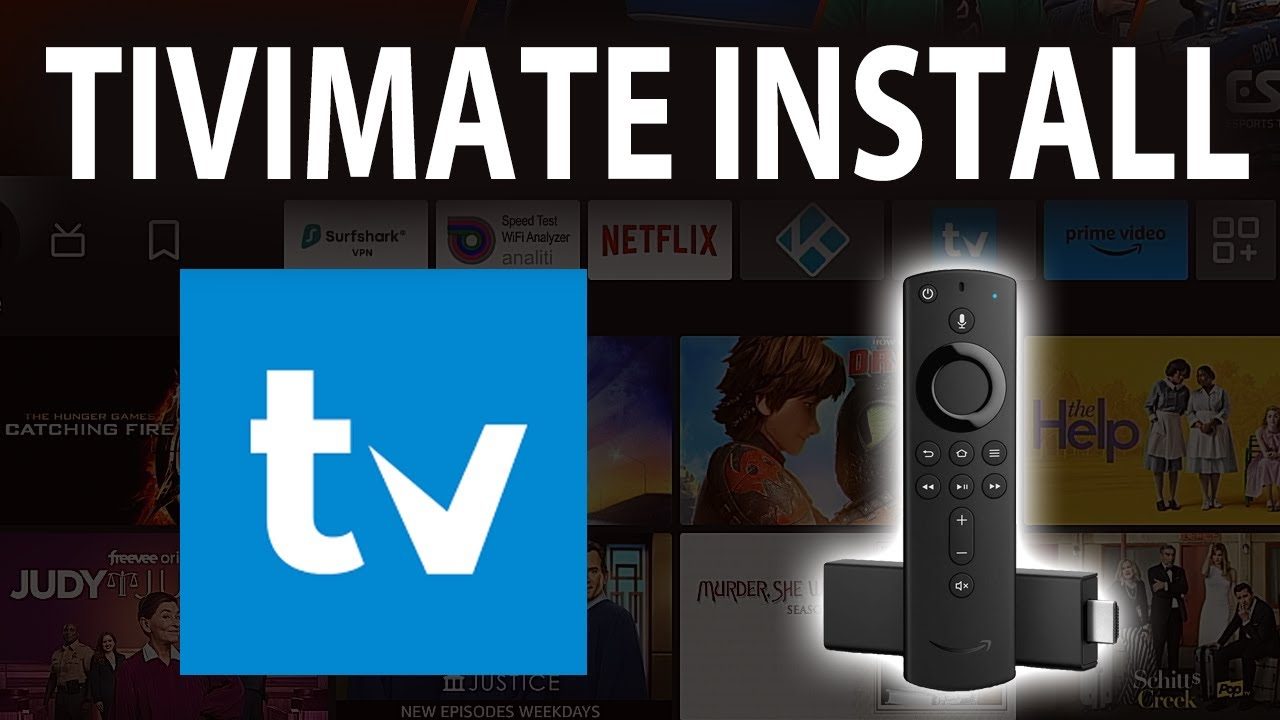
How To Install TiviMate On Fire stick And Fire TV 2026

The following guide will show you How to Install TiviMate on Firestick and Fire TV.
We provide both a screenshot guide as well as a video tutorial that covers all aspects of Tivimate.
This article also provides setup instructions and tips to help you get the most out of it on your preferred device. Unlike other tutorials you may come across, our guide details every feature available within TiviMate to help you get the most out of this unrivaled streaming platform.

After over a year of hiatus, the developer has finally updated TiviMate to V5 with tons of advanced features and

 improvements. Currently, the stable version is 5.0.4.

Here are some of the features this latest update provides:
  • Revised User Interface
  • Addition of Logout Button (About menu item)
  • New official website to manage devices (more details below)
  • Display current connection attempts if playback fails
  • Open externally when an error message displays
  • Local Recording Directory improvements
  • General Bug Fixes

TiviMate is one of the best IPTV Players available for use on any device including the Amazon Firestick, Android

 TV/Google TV Boxes such as BuzzTV, NVIDIA SHIELD, Chromecast, onn. Google TV Box, Windows PC, and much

 more.

The app alone does not contain live channels for streaming, however, users can integrate an M3U URL or an Xtream

 Code URL within the app for live streaming.

Premium Features

Those who opt for the Premium plan are provided with over a dozen valuable features including:

  • Scheduled recordings
  • Custom recurring recordings
  • Support for multiple playlists
  • Backup/Restore
  • External Video Player
  • Parental Controls
  • Picture-in-Picture
  • Favorites management
  • Catch-up
  • Customizable TV Guide update intervals
  • Customizable Panels transparency and timeout
  • Customize Groups and Channels
  • Manual Channels sorting
  • Turning on the last channel on the app start
  • Auto frame rate (AFR)
  • Reminder to automatically play channel
  • Many More

How to Install TiviMate on Firestick/Android TV/Google TV

Use the guides below for installation and set-up instructions for this application on your preferred device.
 

Step 1 – Prepare Your Streaming Device

1. From the home screen of your device, hover over the Find button and then click the Search box.
2. Search for and select Downloader.
3. Choose the Downloader app.
4. Click Download or Get.
5. Wait for the app to install.
6. You will then encounter Downloader Ready to launch! message.
7. Return to the home screen to hover over Settings and click My Fire TV.
8. Choose Developer Options.

IMPORTANT: Please see the notes below if you don’t see Developer Options on your screen.

9. Click Install unknown apps.
10. Find the Downloader app and click it.
11. This will turn Unknown Sources to On for the Downloader app and enable side-loading on your device.

Developer Options Not Available?!

If you are unable to locate developer options within settings, follow the instructions below to enable this to use the Downloader App.

1. Hover over the Settings icon and choose My Fire TV.

2. Click About. (You will see Developer Options is not available)

3. Click the middle slot button on Fire TV Stick 7 times

4. You will then see the message “No need, you are already a developer”.

5. Click back to return to Settings and select Developer Options.

6. Select Install Unknown apps.
7. Turn on Unknown sources for Downloader.

Now that I’ve properly prepared our device we can continue to the app installation.

Step 2: Sideload TiviMate


1. Launch Downloader.

2. Hover over the URL bar and click the select button on your remote to open the keyboard.
 
3. Type the following URL to download and install IPTV smaters Pro: https://files.tivimate.com/tivimate.apk
and click “Go”
4. Wait for the application to download and click install.
5. Click Install.
6. You will then encounter Ready to launch! message. Click Done.
7. Click Done.
8. This will take you back to the Downloader app. Click Delete to remove the installation file.
Installation is now complete. Continue reading to learn how to set up the app on your preferred device.
How To Setup Free Version
After the app installation is complete, we can open the app and authorize an IPTV Service for use.
2. Choose Xtream Codes.
NOTE: Initializing an IPTV Service within TiviMate requires an M3U URL or Xtream Code. This can usually be found in your service welcome e-mail or by contacting customer support.

The steps below show how to set up the free version with your preferred IPTV Service

1. Open the app and click Add Playlist.
2. Choose M3U playlist or Xtream Codes.
in the following steps, we will activate Tivimate using Xtream Codes
3. put the login info of your preferred IPTV service provider
on this guide, we are trying one of the leading IPTV service providers, Vocotv as following:
Server address: http://vocotv.pro:8080
username: as provided by vocotv
password: as provided by vocotv


then click “Next”

4. wait for the playlist to load, it now should be showing “processing”
5. You will see then “Playlist is processed”. Click “Done”
6. Click OK.
7. TV Guide will import and you are able to start viewing!
Designer
broadband for iptvOnline IPTVUSA IPTVvoco tv iptv tips newsvocotv iptv streaming

10 Best IPTV Players for Windows PC in 2026

Best IPTV Players For Windows in 2024

Best IPTV Players for Windows 11, 10, 8.1

IPTV Players for Windows

PTV elevates your television experience with superior resolution, improved dynamic range, and a wider range of channels compared to standard TV. Best IPTV Players Windows come equipped with native capabilities for media encoding, live TV streaming, and audio/video adjustments.

VLC Media Player

VLC is widely popular due to its versatility and support for various media formats. It’s an open-source, cross-platform media player that can stream IPTV content seamlessly without any ads or spyware​ (TechPout)​​ (TechWorm)​​ (TechDator)​.

Kodi

Known for its extensive add-ons and plugins, Kodi can manage media files and stream IPTV content. It’s a highly customizable player that works across multiple devices​ (TechWorm)​​ (TechDator)​​ (Betechwise)​

MyIPTV Player

This player is user-friendly and supports m3u playlists for streaming live TV and video content. It comes with an Electronic Program Guide (EPG) and various channel filtering options​ (TechWorm)​​ (Tweak Library)​​ (Betechwise)​.

Plex

Plex allows you to stream local media files as well as IPTV content. It supports 4K streaming and offers excellent transcoding capabilities, making it a popular choice for a smooth streaming experience​ (TechWorm)​​ (TechDator)​​ (Betechwise)​.

Simple TV

This portable IPTV player supports customization, brightness, and volume adjustments. It also allows users to download playlists created by others and supports LUA scripting​ (Tweak Library)​​ (Betechwise)​.

PotPlayer

Although not as well-known, PotPlayer is optimized for Windows and supports a wide range of video codecs and formats, providing a rich user experience​ (TechDator)​.

ProgTV/ProgDVB

This player is suitable for both digital TV and radio streaming, offering features like network broadcasting, Teletext, and picture-in-picture support​ (TechDator)​​ (Betechwise)​.

TiviMate

TiviMate is known for its clean interface and the ability to add multiple playlists. It also supports scheduling TV guides and adding favorite channels to the home screen​ (TechPout)​.

OTTPlayer

This free, ad-free player supports multiple protocols and offers centralized control over various devices through its website​ (TechWorm)​​ (TechDator)​.

Free TV Player

A simple and free IPTV player that allows you to stream live TV channels, movies, and radio. It supports M3U playlists and can be used on multiple devices​ (TechDator)​​ (Betechwise)​.

These players offer a range of features to enhance your IPTV viewing experience on Windows.
beste iptv norge
Online IPTVvoco tv iptv tips newsvoco tv iptv tutorialsvocotv 2024vocotv iptv streaming

Beste iptv norge – IPTV-TJENESTER i Norge – IPTV-Abonnementer

Beste iptv norge – IPTV-TJENESTER i Norge

Oppgrader til den Best IPTV Norway -IPTV NORGE serveren i dag!

Introduksjon

IPTV, eller Internett Protocol Television, har revolusjonert måten vi ser på TV. Med en mengde tjenester tilgjengelig, kan det være utfordrende å finne den beste IPTV-tjenesten i Norge. I denne artikkelen vil vi utforske de ti beste IPTV-tjenestene i Norge i 2024, deres fordeler og hva du bør se etter når du velger en tjeneste.

Hva er IPTV?

IPTV står for Internett Protocol Television og er en teknologi som leverer TV-innhold over internett i stedet for gjennom tradisjonelle satellitt- eller kabelsystemer. Dette gjør det mulig for seere å strømme TV-kanaler og annet innhold direkte til deres enheter.

Fordeler med IPTV

Ubegrenset tilgang til innhold

En av de største fordelene med IPTV er den ubegrensede tilgangen til et bredt spekter av innhold. Fra internasjonale kanaler til sportsarrangementer og filmer, gir IPTV brukerne en rik og variert opplevelse.

Bedre kvalitet på bilde og lyd

IPTV tilbyr ofte bedre kvalitet på både bilde og lyd sammenlignet med tradisjonelle TV-tjenester. Med HD- og 4K-streaming tilgjengelig, kan seerne nyte en mer oppslukende opplevelse.

Premium sportskanaler

Alle dine sportskanaler av høy kvalitet fra hele verden. Ikke gå glipp av din favoritt sportsbegivenhet lenger.

Live TV

Nyt favorittkanalene og programmene dine med live-TVen vår. Velg blant over 10 000 direktesendte TV-kanaler, og gå aldri glipp av en oppdatering på favorittprogrammet ditt fra hele verden.

Enkelt å sette opp

Vi har guider som viser hvordan du setter opp IPTV-pakken på alle systemer. Vi hjelper deg også med å sette opp din IPTV-pakke via chat.

De beste IPTV-tjenestene i Norge

VocoTv

Vocotv er kjent for sitt omfattende kanalutvalg og høy kvalitet på streaming. Tjenesten tilbyr enkle abonnementsløsninger og er en favoritt blant mange nordmenn.

Viasat IPTV

Viasat IPTV er kjent for sitt omfattende sportsutvalg, inkludert eksklusive rettigheter til mange internasjonale sportsarrangementer. Perfekt for sportsentusiaster.

Canal Digital IPTV

Canal Digital IPTV tilbyr et solid utvalg av norske og internasjonale kanaler, og er kjent for sin pålitelighet og gode kundeservice.

RiksTV IPTV

RiksTV IPTV er en av de mest populære tjenestene i Norge, kjent for sitt omfattende kanalutvalg og gode kundeservice.

Altibox IPTV

Altibox IPTV tilbyr en rik medieopplevelse med et bredt spekter av kanaler og innhold. Tjenesten er også kjent for sin pålitelighet og høye kvalitet.

Sumo IPTV

Sumo IPTV er et godt valg for de som ønsker et bredt spekter av innhold, inkludert sports- og underholdningskanaler. Tjenesten er kjent for sin brukervennlighet og høye kvalitet.

TV2 Play IPTV

TV2 Play IPTV tilbyr et godt utvalg av norske og internasjonale kanaler, med fokus på nyheter og underholdning. Tjenesten er kjent for sin høye kvalitet og pålitelighet.

Mest sette TV-kanaler i Norge

NRK1

NRK1 er Norges største TV-kanal og tilbyr et bredt spekter av programmer, inkludert nyheter, sport og underholdning.

TV2

TV2 er en populær kommersiell kanal som tilbyr nyheter, sport, filmer og TV-serier.

TVNorge

TVNorge er kjent for sitt underholdningsinnhold, inkludert reality-show og komedier.

NRK2

NRK2 tilbyr et variert programutvalg med fokus på dokumentarer, kultur og samfunnsspørsmål.

TV3

TV3 er en kommersiell kanal som tilbyr filmer, serier og underholdningsprogrammer.

Populære sportsnettsteder i Norge

Eurosport Norge

Eurosport Norge dekker et bredt spekter av sportsbegivenheter, inkludert fotball, sykling og vintersport.

Viasport

Viasport tilbyr omfattende dekning av ulike sportsbegivenheter, inkludert fotball og motorsport.

TV2 Sporten

TV2 Sporten gir oppdatert informasjon om norske og internasjonale sportsnyheter og resultater.

VG Sporten

VG Sporten dekker de siste sportsnyhetene, analyser og live-oppdateringer.

Dagbladet Sport

Dagbladet Sport tilbyr de nyeste sportsnyhetene, inkludert dekning av store sportsbegivenheter.

FAQ

Hva er IPTV?

IPTV står for Internett Protocol Television og er en måte å levere TV-innhold over internett på.

Hvordan fungerer IPTV?

IPTV fungerer ved å sende TV-signaler over internett til en kompatibel enhet, som en smart-TV eller datamaskin.

Er IPTV bedre enn tradisjonell TV?

Mange mener at IPTV er bedre enn tradisjonell TV på grunn av det brede utvalget av kanaler og høyere kvalitet på bilde og lyd.

Hvordan velger jeg den beste IPTV-tjenesten?

Når du velger en IPTV-tjeneste, se etter et godt kanalutvalg, rimelige priser, brukervennlighet og pålitelighet.

Kan jeg bruke IPTV uten internett?

Nei, IPTV krever en internettforbindelse for å fungere.

Konklusjon

IPTV har revolusjonert måten vi ser på TV, og det finnes mange flotte tjenester tilgjengelig i Norge. Ved å velge riktig IPTV-tjeneste kan du nyte et bredt utvalg av kanaler og høykvalitets innhold direkte på dine enheter. Vi håper denne guiden har hjulpet deg med å finne den beste IPTV-tjenesten som passer dine behov.

iptv service usa
Online IPTVUSA IPTVvoco tv iptv tutorialsvocotv 2024vocotv iptv streaming

IPTV Subscription USA – Best USA IPTV Provider – Get Your IPTV Sub

IPTV Subscription USA – Best USA IPTV Provider – Get Your IPTV Sub​

IPTV, or Internet Protocol Television, refers to a system where television services are delivered using the internet protocol suite over a packet-switched network such as the internet, instead of being delivered through traditional terrestrial, satellite signal, and cable television formats.

What is IPTV?

In today’s digital age, streaming television has taken the lead in how we consume media. IPTV (Internet Protocol Television) is revolutionizing the way we watch TV, providing a wealth of content at our fingertips. This guide delves into IPTV services in the USA, exploring what IPTV is, how it works, and how to choose the best provider for your needs.

Benefits of IPTV

  • Flexibility: Watch content on multiple devices including smartphones, tablets, and smart TVs.
  • Variety: Access to a vast array of channels from different countries and in various languages.
  • On-Demand Viewing: Watch movies, shows, and sports events at your convenience.
  • Cost-Effective: Generally more affordable than traditional cable or satellite TV subscriptions.

Key Features to Look for in an IPTV Service Provider

Channel Selection

Choose a provider with a diverse range of channels that cater to your preferences, including local, national, and international options.

Streaming Quality

Look for services that offer HD or 4K streaming to ensure a high-quality viewing experience without buffering issues.

User Interface and Experience

A user-friendly interface makes it easy to navigate and find content. Check for features like EPG (Electronic Program Guide), recording options, and parental controls.

Customer Support

Reliable customer support is crucial for resolving any issues that may arise, ensuring uninterrupted viewing.

Subscription Plans

Flexible subscription plans allow you to choose a package that fits your budget and viewing habits. Look for providers that offer monthly, quarterly, and yearly plans.

Check out VocoTv Subscription Plans

Best IPTV Service Providers in the USA

Voco IPTV
Known for its extensive channel lineup and high-quality streams, Voco IPTV is a popular choice among users seeking a reliable IPTV service.

Sling TV
Sling TV offers a mix of live TV channels and on-demand content, with customizable packages that cater to various viewing preferences.

YouTube TV
YouTube TV provides access to live TV from major broadcast and popular cable networks, along with unlimited cloud DVR storage.

Philo TV
Philo TV is a budget-friendly option that offers a variety of entertainment, lifestyle, and news channels at a competitive price.

Hulu with Live TV
Combining live TV with a vast library of on-demand content, Hulu with Live TV is an excellent choice for comprehensive entertainment options.

Krooz Tv

How to Set Up IPTV Service

Choose Your Device
Decide on the device you want to use for IPTV. Common options include smart TVs, streaming boxes (like Roku or Amazon Fire Stick), or mobile devices.

Select an IPTV Provider
Research and select an IPTV provider that suits your needs. Consider factors like channel selection, streaming quality, and subscription costs.

Install the IPTV App for your IPTV Service USA

Download and install the IPTV app provided by your chosen service. This app will be necessary to stream content on your device.

Enter Your Subscription Details
Log in to the app using the subscription details provided by your IPTV service provider. This usually includes a username, password, and a server URL.

Enjoy Your Content
Once set up,  browse through the available 0channels and start enjoying your IPTV service.

Future of IPTV in the USA

Technological Advancements
With advancements in technology, the future of IPTV looks promising, with improvements in streaming quality, user interfaces, and interactive features.

Increased Competition IPTV Service USA
As more providers enter the market, competition will drive innovation and better service offerings for consumers.

Most Watched USA Sports ( All Available via VocoTv )

The most watched sports in the USA include:

American Football (NFL): The National Football League (NFL) is the most popular and widely watched sport in the USA. The Super Bowl is one of the most-watched television events annually.

Basketball (NBA): The National Basketball Association (NBA) is highly popular, with the NBA Finals drawing significant viewership.

Baseball (MLB): Major League Baseball (MLB) has a long-standing history in the USA and continues to attract a large number of viewers, particularly for the World Series.

College Football: College football games, especially the College Football Playoff and bowl games, have massive followings and high television ratings.

Soccer (MLS and International Competitions): Soccer has been growing in popularity, with Major League Soccer (MLS) and international tournaments like the FIFA World Cup and UEFA Champions League drawing increasing viewership.

Auto Racing (NASCAR and IndyCar): NASCAR races, particularly the Daytona 500, and IndyCar events like the Indianapolis 500 are highly watched.

Ice Hockey (NHL): The National Hockey League (NHL) has a dedicated fan base, with the Stanley Cup Finals attracting substantial viewership.

Golf (PGA Tour): Golf tournaments, especially major events like The Masters, the U.S. Open, and the PGA Championship, garner significant audiences.

Tennis: Major tennis tournaments, including the US Open, Wimbledon, and the other Grand Slam events, attract many viewers.

Boxing and Mixed Martial Arts (MMA): High-profile boxing matches and UFC (Ultimate Fighting Championship) events draw large audiences.

Local Sports

College Basketball: The NCAA Men’s and Women’s Basketball Tournaments, commonly known as March Madness, are hugely popular and widely watched events.

Professional Wrestling (WWE): World Wrestling Entertainment (WWE) events, particularly WrestleMania, attract large audiences.

Athletics (Track and Field): Track and field events, especially during the Summer Olympics, draw significant viewership.

Horse Racing: Major horse racing events like the Kentucky Derby, Preakness Stakes, and Belmont Stakes are widely watched.

More Sports

Esports: Competitive gaming has seen a surge in popularity, with major esports tournaments drawing millions of viewers both online and on television.

Rugby: Rugby, particularly Rugby Sevens and international matches, has been gaining a following in the USA.

Cycling: Major cycling events like the Tour de France attract viewers who follow the event through extensive media coverage.

Gymnastics: Gymnastics events, especially during the Olympics, draw large audiences due to the sport’s high skill level and popularity.

Swimming: Swimming competitions, particularly during the Summer Olympics, attract substantial viewership.

Figure Skating: Figure skating events, especially during the Winter Olympics, are popular among viewers.

Volleyball: Both indoor and beach volleyball events have dedicated followings, particularly during the Olympics and major international tournaments.

Lacrosse: Lacrosse has been growing in popularity, with professional leagues and collegiate competitions attracting increasing numbers of viewers.

Most-watched IPTV channels in the USA

Here are some of the most-watched television channels in the USA:

CBS: Known for its popular primetime shows, news programs, and sports broadcasts, including NFL games and the NCAA Men’s Basketball Tournament.

NBC: A major network with a wide range of popular shows, news programs, and sports broadcasts, including Sunday Night Football and the Olympics.

ABC: Another major network known for its primetime shows, news programs, and sports broadcasts, including NBA games.

Fox: A major network offering popular shows, news programs, and sports broadcasts, including NFL games and the World Series.

ESPN: The leading sports channel, broadcasting a wide range of sports events, including NFL, NBA, MLB, college sports, and more.

Fox News: A major news channel with a large viewership, known for its political commentary and breaking news coverage.

CNN: A leading news channel known for its 24-hour news coverage, breaking news, and political analysis.

All Available Via VocoTv Subscription

MSNBC: A news channel focusing on political commentary and news analysis, with a significant viewership.

TNT: A popular cable channel known for broadcasting NBA games, movies, and original TV shows.

TBS: A cable channel known for its comedy programming, movies, and broadcasts of major sports events like MLB games and the NCAA Men’s Basketball Tournament.

HBO: A premium cable channel known for its high-quality original series, movies, and documentaries.

Showtime: Another premium cable channel offering popular original series, movies, and sports programming.

Discovery Channel: Known for its documentary-style programming, reality TV shows, and educational content.

History Channel: Offers a range of historical documentaries, reality TV shows, and educational programming.


All Available Via Voco IPTV Subscription

AMC: A cable channel known for its critically acclaimed original series, movies, and special programming events.

USA Network: Known for its original series, movies, and broadcasts of WWE wrestling events.

PBS: A public broadcasting service known for its educational content, documentaries, and children’s programming.

Telemundo: A major Spanish-language network offering a variety of programming, including telenovelas, news, and sports.

Univision: Another leading Spanish-language network known for its telenovelas, news, and sports programming.

HGTV: A popular cable channel focusing on home improvement, real estate, and lifestyle programming.

These channels consistently attract large audiences and are key players in the American television landscape.

U can watch all Via VocoTv Best IPTV Service in the USA

FAQs

What is the difference between IPTV and traditional TV?

IPTV delivers content over the internet, while traditional TV uses cable, satellite, or terrestrial signals.

Can I use IPTV on multiple devices?

Yes, most IPTV services support multiple devices, allowing you to watch content on your TV, smartphone, tablet, or computer.

Is IPTV legal in the USA?

IPTV itself is legal, but it’s essential to choose providers that comply with copyright laws to avoid legal issues.

What internet speed do I need for IPTV?

A stable internet connection with at least 10 Mbps is recommended for HD streaming, while 25 Mbps or higher is ideal for 4K content.

Can I record shows on IPTV?

Many IPTV services offer DVR features that allow you to record and watch shows at your convenience.

How do I choose the best IPTV service?


Consider factors like channel selection, streaming quality, user interface, customer support, and subscription plans to find the best IPTV service for your needs.

iptv-smarters-troypoint.jpg
Online IPTVUSA IPTVvoco tv iptv tutorialsvocotv 2024vocotv iptv streaming

How To Install IPTV Smarters Pro On Firestick – Full Tutorial 2026

How To Install IPTV Smarters Pro On Amazon Firestick – Full Tutorial (2024)

This guide will show you How to install IPTV Smarters Pro on Amazon Firestick 

This application continues to be one of the most popular IPTV Players on the market because it is completely free of charge and has tons of great features.

The developers continually update this app to ensure a flawless experience on just about any device you prefer.

It is important to note that the app itself does not host any live TV channels.  Users must input an  Xtream Codes or M3U URL which is typically provided by an IPTV provider.

The most popular streaming device to use in conjunction with IPTV Smarters is the Amazon Fire TV Stick 4K and Fire TV Stick 4K Max.  The reason for this is due to its jailbreaking capabilities, low price, and powerful specs.

Streaming live TV channels in HD quality through this application requires strong processing power so it’s important to use an adequate device.

There are numerous advantages associated with using this IPTV Player that make it a fabulous option for streaming live television.

These include:

  • Creating Favorites
  • Master Search
  • EPG
  • Parental Controls
  • Built-in Speed Test
  • Recording Capabilities
  • Multi-Screen Viewing
  • Picture in Picture
  • External Video Player Capability
  • Multiple Playlists
  • VPN Integration
  • TabView Supported
  • Backup/Restore Capabilities
  • External Player Support for VOD
  • and more

How to Install IPTV Smarters Pro on Firestick

In this guide, we are using an Amazon Fire TV Stick 4K Max. However, these instructions also work for other streaming devices including Android TV and Google TV.

Step 1: Install Downloader

1. From the home screen of your device, hover over the Find button and then click the Search box.

2. Search for and select Downloader.

3. Choose the Downloader app.

4. Click Download or Get.

5. Wait for the app to install.

6. You will then encounter Downloader Ready to launch! message.

7. Return to the home screen to hover over Settings and click My Fire TV.

8. Choose Developer Options.

IMPORTANT: Please see the notes below if you don’t see Developer Options on your screen.

9. Click Install unknown apps.

10. Find the Downloader app and click it.

11. This will turn Unknown Sources to On for the Downloader app and enable side-loading on your device.

Developer Options Not Available?!

If you are unable to locate developer options within settings, follow the instructions below to enable this to use the Downloader App.

1. Hover over the Settings icon and choose My Fire TV.

2. Click About. (You will see Developer Options is not available)

3. Click the middle slot button on Fire TV Stick 7 times

4. You will then see the message “No need, you are already a developer”.

5. Click back to return to Settings and select Developer Options.

6. Select Install Unknown apps.

7. Turn on Unknown sources for Downloader.

Now that I’ve properly prepared our device we can continue to the app installation.

Step 2: Sideload IPTV Smarters Pro


1. Launch Downloader.

2. Hover over the URL bar and click the select button on your remote to open the keyboard.


3. Type the following URL to download and install IPTV smaters Pro: http://www.iptvsmarters.com/smarters.apk

4. Wait for the application to download and click install.


5. You will then encounter Ready to launch! message, Click done

6. You are then prompted to delete the installation file. This will free up space on your device. Click Delete.

Installation is now complete.

Continue reading for more info on this app on Firestick, Fire TV, or Android TV/Google TV Box.

Step 3: Move App to Home Screen

If you are likely to use this application often, you will want to move it to the top of your apps list.

Follow the steps below to do so on a Firestick or Fire TV.

1. From the home screen, scroll over to select Applications.

2. Find IPTV Smarters and long-click the select button on your remote.


3. Drag it to the top of your apps list and click the select button again to drop it into place.

The guide below covers important details regarding this application including how to set the app up for use to stream live content and more.

How to Set Up IPTV Smarters

After installing, you may launch the application for use.

First, you are prompted to select your layout.

  • If using a streaming device such as Firestick or Android TV/Google TV, select TV and click SAVE.
  • Choose Login with Xtream Codes API
  • put your login info as shwoing
  • anynname: you can type your name
  • username: your IPTV username provided by the IPTV provider
  • password: your IPTV password provided by the IPTV provider
  • then click ” ADD USER “
  • Wait for User added successfully message to appear
  • You can now access your content for live streaming and more. Enjoy!
Bästa IPTV i Sverige
voco tv iptv tutorialsvocotv 2024

Bästa IPTV i Sverige: SE Tv Guide för 2026

Bästa IPTV i Sverige: SE Tv Guide för 2024

IPTV Sverige ÅTKOMST ALLA SVERIGE IPTV BÄSTA SVENSKA OCH NORDISK KANALER - Bästa IPTV i Sverige

Njut av exceptionell bildkvalitet på upp till 4K och få tillgång till de mest populära Sverige tv kanaler och världsomspännande kanalerna med vod serier och senaste sporter, filmer med vår högkvalitativa IPTV prenumeration och njut av live streaming på vilken enhet som helst, var som helst i världen – Bästa IPTV i Sverige.


Introduktion

Internet Protocol Television, eller IPTV, har revolutionerat hur vi konsumerar media. Genom att använda internet istället för traditionella kabel- eller satellittekniker, erbjuder IPTV ett bredare utbud av kanaler och tjänster till en lägre kostnad. Men med så många alternativ på marknaden, vilken är den bästa IPTV-tjänsten i Sverige? I denna guide kommer vi att utforska de bästa alternativen för 2024.

Vad är IPTV?

IPTV står för Internet Protocol Television och är en metod för att leverera TV-tjänster via internet istället för traditionella markbundna, satellit- eller kabel-TV-format. IPTV erbjuder användare möjligheten att strömma innehåll i realtid och on-demand, vilket ger en mer flexibel och anpassningsbar TV-upplevelse.

Fördelar med IPTV

Kostnadseffektivitet: IPTV-tjänster är ofta billigare än traditionella kabel- eller satellit-TV-paket.

Flexibilitet: Du kan titta på dina favoritprogram när som helst och var som helst, så länge du har en internetuppkoppling.

Brett utbud: IPTV-tjänster erbjuder ett stort antal kanaler och on-demand-innehåll från hela världen.

Hur Väljer Man den Bästa IPTV-tjänsten i Sverige?

Innehåll: Se till att tjänsten erbjuder de kanaler och det innehåll du är intresserad av.

Pris: Jämför priser och se till att du får valuta för pengarna.

Kundsupport: En bra IPTV-leverantör bör erbjuda pålitlig kundsupport.

Kvalitet: Bild- och ljudkvaliteten bör vara av hög standard.

Användarvänlighet: Gränssnittet bör vara lätt att navigera.

Bästa IPTV-tjänsterna i Sverige 2024

1. Voco IPTV

Voco IPTV är känd för sitt breda utbud av svenska och nordiska kanaler. De erbjuder högkvalitativ strömning och utmärkt kundsupport.

Mest Tittade Svenska TV-Kanaler

SVT1: Sveriges Television är en av de mest populära TV-kanalerna med ett brett utbud av program inklusive nyheter, dokumentärer och underhållning.

TV4: Känd för sina underhållningsprogram, filmer, och dramaserier, är TV4 en favorit bland svenska tittare.

SVT2: Erbjuder kvalitetsprogram inom kultur, vetenskap och utbildning, och är ett komplement till SVT1.

Kanal 5: En populär kanal för internationella TV-serier, filmer och reality-TV.

Discovery Channel: För dokumentär- och vetenskapsentusiaster är Discovery Channel ett självklart val.

Mest Populära Svenska Streaming-tjänster

Viaplay: Erbjuder ett brett utbud av filmer, serier och sportevenemang. Perfekt för dem som vill ha allt på ett ställe.

Netflix: En global streamingjätte med ett stort urval av internationella och svenska filmer och serier.

HBO Nordic: Känd för sina kvalitetsserier och filmer, HBO Nordic är ett måste för serieälskare.

C More:

Specialiserad på svensk film och TV, samt direktsänd sport, inklusive SHL och Allsvenskan.

SVT Play: Sveriges Televisions egna streamingtjänst med tillgång till ett stort utbud av SVT:s program.

Disney+

Discovery Plus+

Mest Tittade Sporter i Sverige

Fotboll: Allsvenskan och svenska landslaget är otroligt populära, särskilt under stora turneringar som VM och EM.

Ishockey: SHL (Svenska Hockeyligan) och Tre Kronor är favoritvalen för ishockeyfans.

Handboll: Med ett starkt landslag är handboll en populär sport i Sverige.

Friidrott: Svenskar följer ivrigt stora internationella tävlingar som OS och VM, speciellt när svenska atleter deltar.

Skidor: Längdskidåkning och skidskytte är populära vintersporter, med många följare under Vinter-OS och världscuptävlingar.

Mest Använda IPTV-enheter och Appar i Sverige

Apple TV: En av de mest populära enheterna för att strömma IPTV, tack vare dess användarvänlighet och höga kvalitet.

Chromecast: Med Chromecast kan du enkelt strömma IPTV från din mobil eller dator direkt till din TV.

Smart TVs: Många moderna smart-TV-apparater har inbyggda appar för IPTV-tjänster, vilket gör det enkelt att komma igång.

MAG Boxes: En vanlig hårdvarulösning för IPTV med robust prestanda och tillförlitlighet.

Amazon Fire Stick: En kompakt och prisvärd enhet som gör det enkelt att strömma IPTV-innehåll.

IPTV Smarters: En populär app för IPTV som är kompatibel med många enheter inklusive Android, iOS, och smart-TV.

Kodi: En öppen källkodsmediaspelare som kan anpassas med olika IPTV-tillägg för att strömma TV-kanaler och on-demand-innehåll.

Perfect Player: En kraftfull IPTV-app med stöd för olika playlist-format och avancerade funktioner för kanalhantering.

TiviMate: En premium IPTV-spelare för Android-enheter som erbjuder ett användarvänligt gränssnitt och många anpassningsalternativ.

GSE Smart IPTV: En av de mest mångsidiga IPTV-apparna, som stöder en mängd olika enheter och format.

Vanliga Frågor om IPTV

Vad är IPTV?

IPTV är en teknik för att leverera TV-innehåll via internetprotokoll.

Är IPTV lagligt i Sverige?

Ja, så länge du använder lagliga tjänster som har rättigheter att sända innehållet.

Behöver jag en speciell enhet för IPTV?

De flesta IPTV-tjänster kan användas på smart-tv, datorer, mobiler och streaming-enheter som Apple TV och Chromecast.

Kan jag använda IPTV utomlands?

Det beror på tjänsten. Vissa IPTV-tjänster är geobegränsade medan andra kan användas internationellt med en VPN.

Hur mycket kostar IPTV?

Priset varierar beroende på leverantör och paket, men det är oftast billigare än traditionell kabel-TV.

Kan jag spela in program med IPTV?

Ja, många IPTV-tjänster erbjuder möjligheten att spela in program och titta på dem senare.

Vilka är de bästa IPTV-tjänsterna i Sverige?

De bästa IPTV-tjänsterna i Sverige inkluderar Nordic IPTV, IPTV Sweden, Dreamhost IPTV, Viasat IPTV, och Sappa IPTV.

Vilka enheter och appar är populära för IPTV i Sverige?

Populära enheter och appar för IPTV i Sverige inkluderar Apple TV, Chromecast, smart-TV, MAG Boxes, Amazon Fire Stick, IPTV Smarters, Kodi, Perfect Player, TiviMate och GSE Smart IPTV.

Slutsats

IPTV erbjuder ett flexibelt och kostnadseffektivt alternativ till traditionell TV. Med ett stort utbud av kanaler och on-demand-innehåll, är det inte konstigt att fler svenskar väljer IPTV. Genom att välja rätt IPTV-tjänst kan du säkerställa en högkvalitativ och pålitlig tittarupplevelse. Oavsett om du är intresserad av sport, film eller internationella kanaler, finns det en IPTV-tjänst som passar dina behov.