
broadband for iptvOnline IPTVUSA IPTVvoco tv iptv tips newsvoco tv iptv tutorialsvoco tv iptv updatesvocotv 2024vocotv iptv streaming
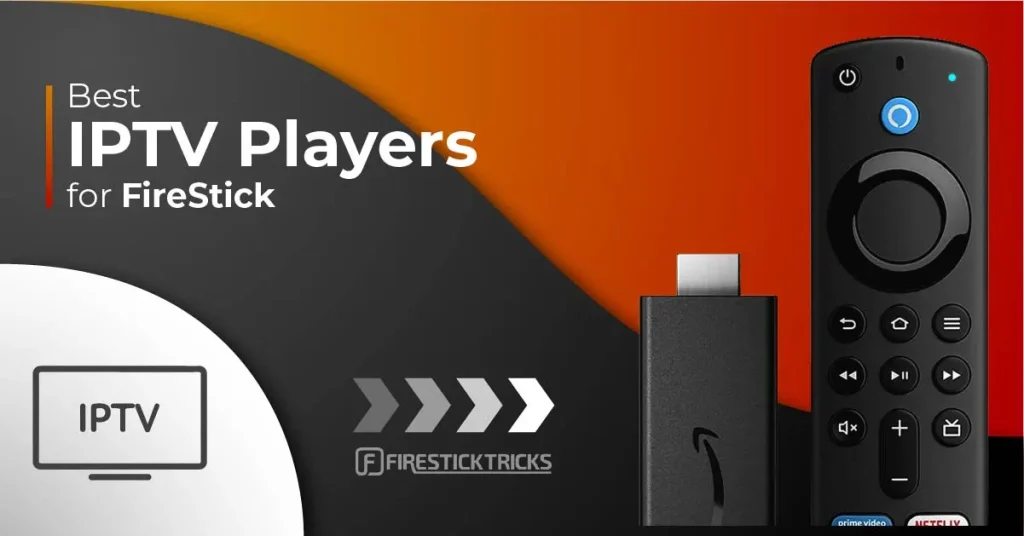
Best IPTV Player for Firestick 2026 – VocoTV Mate, IBO Player, VocoTV OTT App & More
If you are looking for the best IPTV player for Firestick in 2026, this guide gives you the best VocoTV setup methods for Firestick, Fire TV, Android TV Box, Android TV, Google TV, Shield TV, Android mobile, tablet, and other Android-based devices.
The easiest option for most users is VOCO TV MATE App. After that, IBO Player and VocoTV OTT App are strong backup methods. Advanced users can also use TiviMate, IPTV Smarters-style apps, XCIPTV-style apps, Kodi, VLC, and other IPTV players depending on the device and login format.
Start here: VocoTV IPTV Free Trial

Quick VocoTV IPTV Links
- VocoTV Official Website
- VocoTV IPTV Services
- VocoTV IPTV Free Trial
- VocoTV IPTV Subscription Plans
- Install IPTV on Firestick
- Full VocoTV IPTV Installation Guide
- VocoTV IPTV Troubleshooting Guide
- VocoTV IPTV FAQ
- VocoTV Account Login
Best IPTV Players for Firestick 2026
There are many IPTV players available for Firestick, but not every app is easy for beginners. Some apps need direct username and password login, some use MAC address and Device Key activation, and others need Xtream Codes or M3U playlist details.
For VocoTV users, this is the best order:
- VOCO TV MATE App – best first method and easiest VocoTV login.
- IBO Player App – recommended backup method using MAC Address and Device Key.
- VocoTV OTT App – alternative Android app for Firestick and Android TV users.
- TiviMate IPTV Player – best advanced IPTV player for users who want a TV-guide style layout.
- IPTV Smarters-style apps – simple option for Xtream Codes or M3U login.
- XCIPTV / Purple Player-style apps – backup Android IPTV player options.
- Kodi – advanced media center option.
- VLC Media Player – best for computer testing, not daily Firestick use.
Before Installing IPTV on Firestick
Before installing any IPTV player, prepare your Firestick correctly. Most IPTV apps are installed using the Downloader app.
- Use a Firestick, Fire TV, Android TV Box, Android TV, Google TV, Shield TV, Android mobile, or tablet.
- Connect to stable Wi-Fi or Ethernet.
- Install the Downloader app from the Amazon Appstore.
- Allow Downloader to install apps from unknown sources if Firestick asks.
- Keep your private VocoTV username and password ready.
- Do not publish your username, password, M3U link, or server URL online.
Helpful external links: Amazon Fire TV, Amazon Fire TV Help Center, Google TV, and Android TV.
Method 1: VOCO TV MATE App – Best IPTV Player for Firestick
VOCO TV MATE is the best first method for VocoTV users. It is simple, fast, and works on Android-based devices including Firestick, Android TV Box, Android TV, mobile, tablet, Shield TV, Google TV, and more.
VOCO TV MATE App Login Details
- Works on: All Android devices including Firestick, Android TV Box, Android TV, mobile, tablet, Shield TV, Google TV, and more.
- Download Link #1: http://aftv.news/2695252
- Code for Downloader App: 2695252
- Username: use your private VocoTV username sent after activation.
- Password: use your private VocoTV password sent after activation.
How to Install VOCO TV MATE on Firestick
- Turn on your Firestick.
- Go to the Search icon.
- Search for Downloader.
- Install the Downloader app.
- Open Downloader.
- Enter code 2695252.
- Press Go.
- Download and install the VOCO TV MATE App.
- Open VOCO TV MATE.
- Enter your private VocoTV username and password.
- Wait for live TV, movies, series, sports, and categories to load.
This is the easiest setup because users do not need to manually paste M3U links or configure advanced settings.
Method 2: IBO Player App – Recommended by VocoTV
IBO Player is another strong IPTV player for Firestick. It uses MAC Address and Device Key activation, which makes it useful for users who prefer managing the playlist from a phone or computer.
IBO Player App Setup Details
- Recommended by: VocoTV
- Downloader Code: 528993
- Download Link: http://aftv.news/407498
- Activation Website: https://iboplayer.pro
- Login: use your private VocoTV username and password.
How to Install IBO Player on Firestick
- Go to the Search icon on your Firestick.
- Install the Downloader app.
- Open Downloader.
- Enter code 528993.
- Or visit http://aftv.news/407498.
- Download and install the IBO Player App.
- Open the app.
- Write down your MAC Address and Device Key.
- Visit https://iboplayer.pro on your phone or computer.
- Click Activate.
- Enter your MAC Address and Device Key.
- Use your private VocoTV username and password.
- Save the playlist.
- Return to Firestick and restart IBO Player.
IBO Player is a great second option if you want activation using MAC Address and Device Key.
Method 3: VocoTV OTT App – Alternative Android App
VocoTV OTT App is a good alternative for Android-based devices. Use this method if you want another app option after VOCO TV MATE and IBO Player.
VocoTV OTT App Setup Details
- Works on: Firestick, Android TV Box, Android TV, Google TV, Shield TV, Android mobile, and tablet.
- Downloader Code: 274303
- Download Link: http://aftv.news/274303
- Login: use your private VocoTV app username and password.
How to Install VocoTV OTT App
- Reopen Downloader.
- Enter code 274303.
- Or visit http://aftv.news/274303.
- Download the VocoTV OTT App.
- Install the app.
- Open the app.
- Enter your private VocoTV username and password.
- Test live TV, VOD, sports, and categories.

Method 4: TiviMate IPTV Player – Best Advanced Firestick IPTV Player
TiviMate is one of the best IPTV players for advanced Firestick and Android TV users. It gives a clean TV-guide style layout, favorites, channel groups, playlist management, and EPG options.
TiviMate is only a player. It does not include channels by itself. You need private IPTV service details from VocoTV after your trial or subscription is activated.
Official website: TiviMate
How to Use VocoTV with TiviMate
- Install TiviMate on Firestick or Android TV.
- Open TiviMate.
- Select Add Playlist.
- Choose Xtream Codes if your account supports it.
- Enter playlist name: VocoTV.
- Enter your private server URL, username, and password inside the app only.
- Or choose M3U Playlist and paste your private M3U URL inside the app only.
- Wait for live TV, VOD, and EPG to load.
Use TiviMate if you want a premium IPTV player experience and better organization.
Method 5: IPTV Smarters-Style Apps
IPTV Smarters-style apps are popular because the login screen is simple. These apps usually support Xtream Codes login and M3U playlist setup.
- Install a supported IPTV Smarters-style app.
- Open the app.
- Select Xtream Codes or M3U login.
- Enter the name as VocoTV.
- Enter your private username, password, and server URL only inside the app.
- Wait for channels, VOD, and guide data to load.
This method is good for beginners who prefer a simple login layout.
Method 6: XCIPTV, Purple Player, or Similar Android IPTV Players
XCIPTV-style players and Purple Player-style apps are also used by IPTV customers on Android devices. These apps are useful when another player does not work well on your device.
- Install the IPTV player on your Android-based device.
- Open the app.
- Choose the login method supported by your VocoTV account.
- Enter private login details only inside the app.
- Test live TV, movies, series, and guide data.
Keep this method as a backup if VOCO TV MATE, IBO Player, or VocoTV OTT App does not match your preferred layout.
Method 7: Kodi with PVR IPTV Simple Client
Kodi is a media center that can also be used for IPTV through PVR IPTV Simple Client. This method is more advanced, but it works well for users who already use Kodi.
Official website: Kodi
- Install Kodi on your Firestick or Android TV device.
- Open Kodi.
- Go to add-ons.
- Enable PVR IPTV Simple Client.
- Add your private M3U playlist URL if your account supports M3U.
- Add EPG URL only if provided privately.
- Save settings and restart Kodi.
Kodi is best for advanced users who want IPTV inside a full media center setup.
Method 8: VLC Media Player for Windows and Mac Testing
VLC Media Player is not the best Firestick IPTV player, but it is useful for testing private M3U playlist access on Windows, Mac, or Linux.
Official website: VLC Media Player
- Install VLC on your computer.
- Open VLC.
- Go to Media.
- Select Open Network Stream.
- Paste your private M3U playlist URL only inside VLC.
- Click Play.
Use VLC for quick testing only. For daily Firestick use, VOCO TV MATE, IBO Player, VocoTV OTT App, or TiviMate is better.
Which IPTV Player Should You Choose?
- Best first option: VOCO TV MATE App
- Best VocoTV recommended backup: IBO Player
- Best alternative Android app: VocoTV OTT App
- Best advanced Firestick player: TiviMate
- Best beginner third-party layout: IPTV Smarters-style apps
- Best advanced media center: Kodi
- Best desktop testing: VLC Media Player
How to Test IPTV After Installing a Player
After installing any IPTV player, test the service correctly before judging it. Do not open only one channel. Test different sections and different times.
- Test live TV categories.
- Test sports channels during busy hours.
- Open movies and series from VOD.
- Check channel switching speed.
- Check EPG guide loading.
- Test audio sync.
- Restart the app and confirm the service reloads correctly.
New users should start with the VocoTV IPTV free trial. After testing, compare the VocoTV IPTV subscription plans.
Common Firestick IPTV Player Problems and Fixes
Downloader code does not work
- Check that the code is typed correctly.
- Use 2695252 for VOCO TV MATE.
- Use 528993 for IBO Player.
- Use 274303 for VocoTV OTT App.
- Restart Downloader and try again.
- Check your internet connection.
App will not install
- Allow Downloader permission to install unknown apps.
- Free storage on your Firestick.
- Restart Firestick and try again.
- Download the APK again.
Login says invalid
- Type your username and password manually.
- Remove extra spaces before and after the details.
- Make sure your trial or subscription is active.
- Use the correct app login method.
- Check your account through the VocoTV account login.
Buffering or freezing
- Restart the router and Firestick.
- Move closer to the Wi-Fi router.
- Use Ethernet if possible.
- Close background apps.
- Clear app cache.
- Test internet with Speedtest by Ookla or Fast.com.
- Open the VocoTV troubleshooting guide.
IBO Player activation is not working
- Check the MAC Address carefully.
- Check the Device Key carefully.
- Use https://iboplayer.pro on a phone or computer.
- Restart IBO Player after activation.
- Confirm your VocoTV account details are active.
More Useful VocoTV Links
- VocoTV Official Homepage
- VocoTV IPTV Services
- VocoTV IPTV Free Trial
- VocoTV IPTV Subscription Plans
- Install IPTV on Firestick
- Install IPTV Guide
- Troubleshoot IPTV Issues
- VocoTV IPTV FAQ
- VocoTV IPTV Reseller Program
- VocoTV IPTV Affiliate Program
- VocoTV Refund Policy
- VocoTV Privacy Policy
Helpful External Links
- Amazon Fire TV
- Amazon Fire TV Help Center
- IBO Player Activation
- TiviMate
- Kodi
- VLC Media Player
- Google TV
- Android TV
- Speedtest by Ookla
- Fast.com Internet Speed Test
Best IPTV Player Firestick FAQ
What is the best IPTV player for Firestick in 2026?
For VocoTV users, the best IPTV player for Firestick is VOCO TV MATE because it is direct, simple, and uses Downloader code 2695252. IBO Player and VocoTV OTT App are also strong backup options.
What is the VOCO TV MATE Downloader code?
The VOCO TV MATE Downloader code is 2695252.
What is the IBO Player Downloader code?
The IBO Player Downloader code is 528993. The download link is http://aftv.news/407498.
What is the VocoTV OTT App Downloader code?
The VocoTV OTT App Downloader code is 274303. The download link is http://aftv.news/274303.
Can I use TiviMate with VocoTV?
Yes, you can use TiviMate with VocoTV if your account supports Xtream Codes or M3U setup. Enter your private login details only inside the app.
Does an IPTV player include channels?
No. Most IPTV players do not include channels by themselves. They need private IPTV service details from a provider such as VocoTV after trial or subscription activation.
Should I publish my IPTV username, password, M3U, or server URL?
No. Never publish private IPTV usernames, passwords, M3U playlist links, or server URLs on public pages, screenshots, forums, or social media.
What should I do if IPTV buffers on Firestick?
Restart your router and Firestick, use Ethernet if possible, clear app cache, close background apps, test your internet speed, and use the VocoTV troubleshooting guide.
Final Word
The best IPTV player for Firestick in 2026 depends on your setup, but for VocoTV users the best order is clear: start with VOCO TV MATE App using Downloader code 2695252, then try IBO Player using code 528993, then try VocoTV OTT App using code 274303.
Advanced users can also use TiviMate, IPTV Smarters-style apps, XCIPTV-style apps, Kodi, or VLC depending on the login format. Start with the VocoTV IPTV free trial, install the best app for your device, test live TV and VOD, then compare the VocoTV IPTV subscription plans when the setup works well.