Tag: best iptv provider

Online IPTVUSA IPTVvoco tv iptv tutorialsvoco tv iptv updatesvocotv 2024vocotv iptv streaming

How To Install IBO Player Pro On Firestick
IBO Player Firestick 2026 – How to Install IBO Player on Firestick with VocoTV

If you want to install IBO Player Firestick in 2026, this guide shows the clean VocoTV setup method for Firestick, Fire TV, Android TV Box, Android TV, Google TV, Shield TV, Android mobile, and tablet. Some users type the keyword as ibo player firestcik, but the correct setup is IBO Player Firestick.

IBO Player is one of the best IPTV player options for Firestick because it uses MAC Address and Device Key activation. This makes it easy to activate your IPTV playlist from your phone or computer through the IBO Player website.

For VocoTV users, the best method is simple: install IBO Player on Firestick, write down your MAC Address and Device Key, open the IBO Player activation website, add your private VocoTV login details, then restart the app on Firestick.

Start here: VocoTV IPTV Free Trial

IBO Player Firestick setup with VocoTV IPTV
Install IBO Player on Firestick, activate it with MAC Address and Device Key, then use your private VocoTV login details.

Quick VocoTV Links for IBO Player Firestick

What Is IBO Player on Firestick?

IBO Player Firestick is an IPTV player setup that lets users connect IPTV service details to the IBO Player app on Amazon Firestick or Fire TV. IBO Player itself is only a player. It does not include channels by itself. To watch IPTV, you need private IPTV login details from your provider after activation.

With VocoTV, you can use IBO Player as one of the recommended app options. It is useful because the activation process uses your Firestick app’s MAC Address and Device Key, then allows you to add playlist details through the IBO Player website.

For more Firestick device help, you can also check Amazon Fire TV and the Amazon Fire TV Help Center.

Before You Install IBO Player on Firestick

Before installing IBO Player, prepare your Firestick correctly. You need Downloader installed and permission enabled for app installation.

  • Use Firestick, Fire TV, Fire TV Cube, Android TV Box, Android TV, Google TV, Shield TV, Android mobile, or tablet.
  • Connect your device to stable internet.
  • Install the Downloader app.
  • Enable permission for Downloader to install apps.
  • Keep your private VocoTV username and password ready.
  • Do not publish private usernames, passwords, M3U links, or server URLs online.

Helpful external links: Google TV, Android TV, and Speedtest by Ookla.


Method 1: Install IBO Player on Firestick – Recommended by VocoTV

This is the main method for the keyword ibo player firestick. Use this method if you want IBO Player on Firestick with VocoTV IPTV.

IBO Player App Setup Details

  • Recommended by: VocoTV
  • Works on: Firestick, Fire TV, Android TV Box, Android TV, Google TV, Shield TV, Android mobile, tablet, and compatible Android devices.
  • Downloader Code: 528993
  • Download Link: http://aftv.news/407498
  • Activation Website: https://iboplayer.pro
  • Login: use your private VocoTV username and password.

Step 1: Install Downloader on Firestick

  1. Turn on your Firestick.
  2. Go to the home screen.
  3. Click the Search icon.
  4. Search for Downloader.
  5. Select the Downloader app.
  6. Click Download or Get.
  7. Open Downloader after installation.

Step 2: Allow Downloader to Install Apps

  1. Open Firestick Settings.
  2. Go to My Fire TV.
  3. Open Developer Options.
  4. Select Install Unknown Apps.
  5. Turn Downloader to On.

If Developer Options does not appear, go to Settings > My Fire TV > About, then click the Fire TV device name several times until developer mode is enabled. Go back and Developer Options should appear.

Step 3: Download IBO Player on Firestick

  1. Open Downloader.
  2. Enter this code: 528993.
  3. Or enter this link: http://aftv.news/407498.
  4. Click Go.
  5. Wait for the IBO Player app file to download.
  6. Click Install.
  7. Wait for installation to finish.
  8. Click Open.

Step 4: Get Your MAC Address and Device Key

  1. Open IBO Player on Firestick.
  2. Wait for the home screen to load.
  3. Write down your MAC Address.
  4. Write down your Device Key.
  5. Keep both exactly as shown on the screen.

Step 5: Activate IBO Player with VocoTV

  1. Open your phone or computer.
  2. Visit https://iboplayer.pro.
  3. Click Activate.
  4. Enter your IBO Player MAC Address.
  5. Enter your Device Key.
  6. Use your private VocoTV username and password.
  7. Save the playlist.
  8. Go back to Firestick.
  9. Restart IBO Player.
  10. Wait for live TV, movies, series, sports, and categories to load.

This is the best method if you want IBO Player Firestick setup with VocoTV because it gives a clean activation process using MAC Address and Device Key.

IBO Player Firestick activation with MAC Address and Device Key
IBO Player setup uses your Firestick app MAC Address and Device Key, then connects with your private VocoTV account details.

Method 2: VOCO TV MATE App – Easiest Backup Method

If IBO Player does not work well on your device, use VOCO TV MATE as the easiest backup method. This app works on all Android devices including Firestick, Android TV Box, Android TV, mobile, tablet, Shield TV, Google TV, and more.

VOCO TV MATE App Login Details

  • Works on: Firestick, Android TV Box, Android TV, mobile, tablet, Shield TV, Google TV, and more Android devices.
  • Download Link #1: http://aftv.news/2695252
  • Code for Downloader App: 2695252
  • Username: use your private VocoTV username sent after activation.
  • Password: use your private VocoTV password sent after activation.

How to Install VOCO TV MATE

  1. Open Downloader.
  2. Enter code 2695252.
  3. Or visit http://aftv.news/2695252.
  4. Download and install VOCO TV MATE.
  5. Open the app.
  6. Enter your private VocoTV username and password.
  7. Wait for the content to load.

VOCO TV MATE is the fastest option for users who do not want MAC Address and Device Key activation.


Method 3: VocoTV OTT App – Alternative Android App

VocoTV OTT App is another backup method for Android-based devices. Use this if you want a third app option after IBO Player and VOCO TV MATE.

VocoTV OTT App Setup Details

  • Works on: Firestick, Android TV Box, Android TV, Google TV, Shield TV, Android mobile, and tablet.
  • Downloader Code: 274303
  • Download Link: http://aftv.news/274303
  • Login: use your private VocoTV app username and password.

How to Install VocoTV OTT App

  1. Open Downloader again.
  2. Enter code 274303.
  3. Or visit http://aftv.news/274303.
  4. Download and install VocoTV OTT App.
  5. Open the app.
  6. Enter your private VocoTV username and password.
  7. Test live TV, VOD, sports, and categories.

Method 4: TiviMate IPTV Player – Advanced Firestick Player

TiviMate is a strong advanced IPTV player for users who want a premium TV-guide layout, favorites, playlist management, and EPG control. TiviMate does not include channels by itself. You need private VocoTV service details after activation.

Official website: TiviMate

How to Use VocoTV with TiviMate

  1. Install TiviMate on Firestick or Android TV.
  2. Open TiviMate.
  3. Select Add Playlist.
  4. Choose Xtream Codes if your VocoTV account supports it.
  5. Enter playlist name: VocoTV.
  6. Enter your private server URL, username, and password inside the app only.
  7. Or choose M3U Playlist and paste your private M3U URL inside the app only.
  8. Wait for live TV, VOD, and EPG to load.

Method 5: IPTV Smarters-Style Apps

IPTV Smarters-style apps are popular because the login screen is simple. They usually support Xtream Codes and M3U playlist setup.

  1. Install a supported IPTV Smarters-style app.
  2. Open the app.
  3. Select Xtream Codes or M3U login.
  4. Enter the name as VocoTV.
  5. Enter your private username, password, and server URL only inside the app.
  6. Wait for live TV, VOD, and guide data to load.

Method 6: XCIPTV, Purple Player, or Similar IPTV Apps

XCIPTV-style apps and Purple Player-style apps are useful backup IPTV players for Android devices. Use this method if you want another app layout or if another player does not work well.

  1. Install the IPTV player on your Android-based device.
  2. Open the app.
  3. Choose the login method supported by your VocoTV account.
  4. Enter private login details only inside the app.
  5. Test live TV, movies, series, sports, and guide loading.

Method 7: VLC Media Player for Testing

VLC Media Player is useful for testing M3U playlist access on Windows, Mac, or Linux. It is not the best daily Firestick player, but it helps confirm whether a private playlist works.

Official website: VLC Media Player

  1. Install VLC on your computer.
  2. Open VLC.
  3. Go to Media.
  4. Select Open Network Stream.
  5. Paste your private M3U playlist URL only inside VLC.
  6. Click Play.

IBO Player Firestick vs Other IPTV Apps

IBO Player is best for users who like MAC Address and Device Key activation. VOCO TV MATE is better for fast direct login. VocoTV OTT App is a simple backup option. TiviMate is best for advanced users who want more control over the TV guide and playlist layout.

  • Best main method: IBO Player Firestick
  • Easiest backup: VOCO TV MATE
  • Best alternative Android app: VocoTV OTT App
  • Best advanced IPTV player: TiviMate
  • Best simple third-party layout: IPTV Smarters-style apps
  • Best testing tool: VLC Media Player

How to Test IBO Player Firestick After Setup

After activating IBO Player with VocoTV, test the app properly before judging the service. Do not test only one channel.

  • Open live TV categories.
  • Test sports channels during busy hours.
  • Open movies and series from VOD.
  • Check channel switching speed.
  • Check whether guide data loads correctly.
  • Restart IBO Player and confirm your playlist reloads.
  • Test your internet speed and Wi-Fi stability.

New users can start with the VocoTV IPTV free trial. After testing, compare the VocoTV IPTV subscription plans.
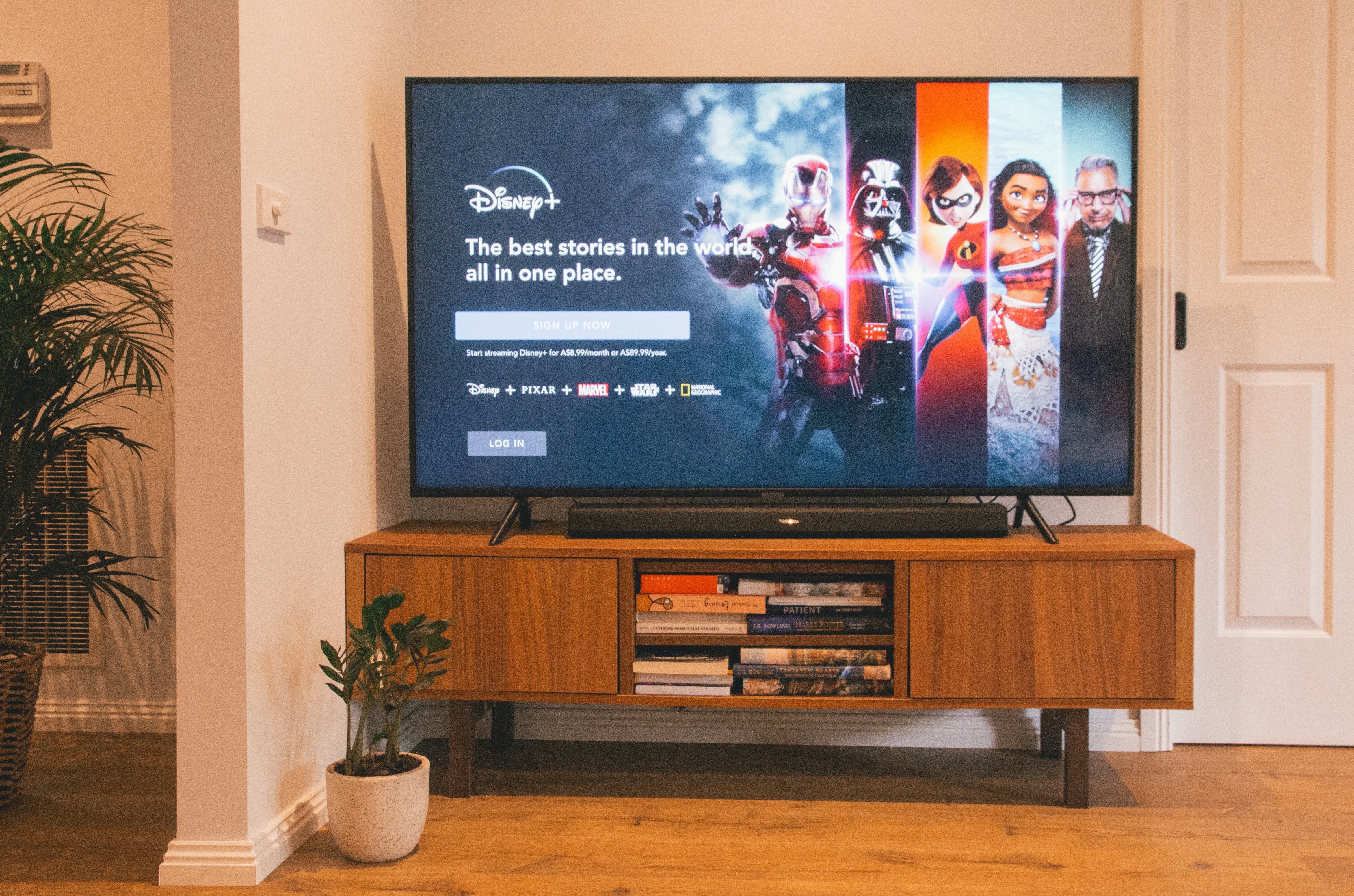
IBO Player Firestick IPTV streaming setup with VocoTV
Test IBO Player on Firestick with live TV, sports, VOD, guide data, and channel switching before choosing a long plan.

Common IBO Player Firestick Problems and Fixes

Downloader code 528993 does not work

  • Check that you typed 528993 correctly.
  • Restart Downloader and try again.
  • Use the direct link: http://aftv.news/407498.
  • Restart your Firestick if the download fails.

IBO Player will not install

  • Enable Install Unknown Apps for Downloader.
  • Free storage on your Firestick.
  • Restart the device.
  • Download the app again.

MAC Address or Device Key is wrong

  • Open IBO Player again.
  • Copy the MAC Address exactly.
  • Copy the Device Key exactly.
  • Do not confuse letters and numbers.
  • Enter both on https://iboplayer.pro.

Login says invalid

  • Re-type your private VocoTV username and password.
  • Remove extra spaces before or after the login details.
  • Confirm your trial or subscription is active.
  • Use the correct login method.
  • Check your account through the VocoTV account login.

IBO Player is buffering

More Useful VocoTV Links

Helpful External Links

IBO Player Firestick FAQ

What is IBO Player Firestick?

IBO Player Firestick is the setup process for installing IBO Player on Amazon Firestick or Fire TV and activating IPTV using MAC Address and Device Key.

What is the IBO Player Downloader code?

The IBO Player Downloader code is 528993.

What is the IBO Player download link?

The IBO Player download link is http://aftv.news/407498.

Where do I activate IBO Player?

You can activate IBO Player at https://iboplayer.pro using your MAC Address and Device Key.

Can I use VocoTV username and password with IBO Player?

Yes. Use your private VocoTV username and password when activating your playlist through IBO Player.

Does IBO Player include channels?

No. IBO Player is only an IPTV player. You need private IPTV service details from VocoTV after trial or subscription activation.

What is the best backup app if IBO Player does not work?

The best backup app is VOCO TV MATE using Downloader code 2695252. Another backup option is VocoTV OTT App using code 274303.

Should I publish my IPTV username, password, M3U, or server URL?

No. Never publish private IPTV usernames, passwords, M3U playlist links, or server URLs on public pages, screenshots, forums, or social media.

Final Word

IBO Player Firestick is one of the best IPTV player setup methods for VocoTV users because it uses MAC Address and Device Key activation. Install IBO Player with Downloader code 528993, activate it through https://iboplayer.pro, then use your private VocoTV username and password.

If IBO Player does not fit your device or style, use VOCO TV MATE with Downloader code 2695252, or use VocoTV OTT App with Downloader code 274303. Start with the VocoTV IPTV free trial, test the setup, then compare the VocoTV IPTV subscription plans when everything works well.
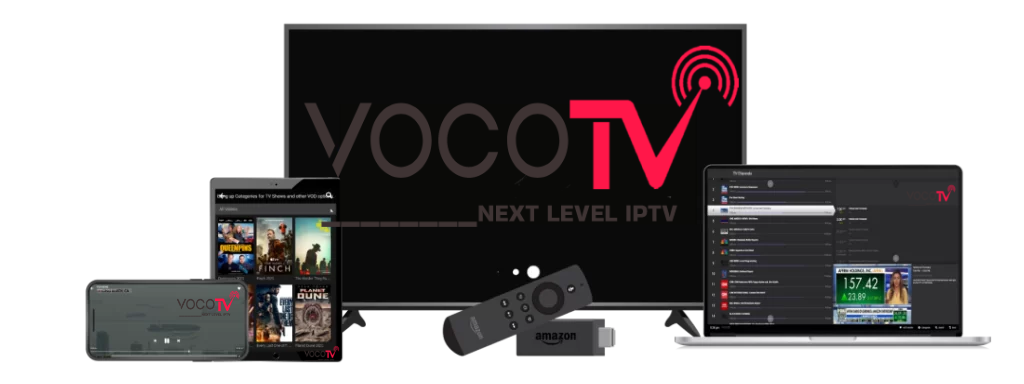
Free Trial IPTV
Online IPTVUSA IPTVvoco tv iptv tips newsvocotv iptv streaming

Voco Tv Provider 2026 – IPTV Service, Plans, Trial & Setup Guide

VOCOTV - NEXT LEVEL IPTV - VOCOTV

Voco Tv Provider 2026 – Complete IPTV Provider Guide for Streaming, Plans, Trial, Apps and Support

Voco Tv Provider 2026 is a full guide for users who want to understand VocoTV as an IPTV provider before choosing a trial, subscription, device setup or long-term plan. A real IPTV provider should not only advertise thousands of channels. It should help users test the service, install the right app, use the correct device, manage an account, fix streaming issues and choose the right plan based on real usage.

In 2026, users expect IPTV to work on Firestick, Android TV, Google TV, Android TV Box, Smart TV, mobile, tablet, Windows, Mac and other streaming devices. They also expect live TV, sports, movies, series, VOD, PPV-style events where available, EPG guide support, stable performance and clear instructions. This guide explains how to judge VocoTV as a provider and how to use the official VocoTV pages for trial, subscription, installation and support.

This article is written for users searching for Voco Tv Provider 2026, VocoTV IPTV provider, Voco TV service provider, best IPTV provider 2026, IPTV subscription provider or VocoTV streaming provider.

Important: This public guide does not publish private IPTV usernames, passwords, M3U playlist URLs, Xtream Codes server links, portal URLs or hidden login details. Use private VocoTV account details only inside trusted IPTV apps after your free trial or subscription is activated.

Voco Tv Provider 2026 IPTV streaming provider guide
Voco Tv Provider 2026 should be judged by real usage: trial access, plan value, device support, app setup, streaming quality and support.

Quick Decision: Is VocoTV the Right IPTV Provider for You?

VocoTV is a better fit if you want an IPTV provider that gives you a path from test to setup to subscription. Instead of guessing, users should follow a simple decision process: start with a trial, install the correct app, test the service on the device they actually use, check live TV and VOD performance, then compare plans.

VocoTV May Fit You If You Want:

  • IPTV access across popular streaming devices.
  • A free trial before choosing a paid plan.
  • Live TV, movies, VOD, sports and PPV-style content where available.
  • Support for Firestick, Android TV, Android boxes, mobile and more.
  • Installation help instead of only a login message.
  • Flexible subscription plans with different duration and connection options.
  • A provider website with pricing, trial, FAQ, setup and troubleshooting pages.

Start here if you are new: VocoTV IPTV Free Trial. If you already tested the service, compare plans here: VocoTV IPTV Subscription Plans.

Official VocoTV Internal Links for Provider Research

Use these VocoTV pages to research the provider properly. These links cover the main user path: homepage, services, free trial, pricing, installation, account access, troubleshooting, FAQ, reseller, affiliate and policies.

What Makes a Good IPTV Provider in 2026?

A good IPTV provider is not only a login seller. A strong provider should give users a complete service path. That means the provider should explain what the service includes, how to test it, how to install it, how to use it on different devices, how to fix issues and how to choose the right plan.

When judging any IPTV provider in 2026, use these points:

  1. Trial access: Can new users test before paying?
  2. Plan clarity: Are subscription options and connection counts easy to understand?
  3. Device support: Does the provider support Firestick, Android TV, Smart TV, mobile and other common devices?
  4. App setup: Are there clear app instructions?
  5. Content categories: Does the service include live TV, movies, VOD, sports and guide data where available?
  6. Support path: Is there a troubleshooting page, FAQ or account guide?
  7. Security: Does the provider avoid exposing private logins publicly?
  8. Performance: Can the service handle peak hours and live events?

VocoTV Provider Scorecard

This scorecard helps users judge VocoTV as a provider before choosing a plan. It is not based on empty marketing language. It is based on what users should actually test.

Provider AreaWhat to CheckVocoTV User Path
TrialCan you test live TV, sports, movies and app login before buying?Start Free Trial
PlansCan you choose monthly, multi-month or yearly access with the right connection count?View Plans
InstallationAre there instructions for Firestick, Android, Smart TV and other devices?Install Guide
Streaming supportIs there help for buffering, freezing, login errors and device issues?Troubleshoot IPTV
Account accessCan users manage account, subscription and service details?Account Guide
VocoTV IPTV provider setup on smart TV Android Firestick and mobile
A strong IPTV provider should support real devices, real apps, real troubleshooting and real plan selection, not only channel-count claims.

VocoTV Free Trial: Why It Matters for Provider Trust

A free trial is one of the most important signs that an IPTV provider understands user concerns. IPTV performance can change based on internet speed, router quality, Wi-Fi strength, app choice, device performance and peak-time traffic. A trial lets users test the service before choosing a longer plan.

When using the VocoTV IPTV free trial, test more than one thing. Do not open one channel for one minute and decide. A proper provider test should include live TV, sports, VOD, guide loading, channel switching, app restart and your real home internet connection.

Free Trial Testing Checklist

  • Open several live TV categories.
  • Test sports during a busy time if possible.
  • Open movies and series through VOD where available.
  • Check if guide data loads inside your chosen app.
  • Switch between channels quickly.
  • Restart the app and confirm the playlist reloads.
  • Test Wi-Fi and Ethernet if your device supports both.
  • Try a second IPTV app if the first app is not smooth.

Use this page to begin: VocoTV IPTV Free Trial.

VocoTV Plans: How to Choose the Right Provider Package

The right IPTV provider package depends on how you watch. Some users only need one connection. Others need multiple connections for different rooms or devices. Some users want a short plan while testing. Others want a longer plan when they already know the service works.

Before choosing a VocoTV subscription, ask yourself:

  • How many devices need to stream at the same time?
  • Will you use Firestick, Android TV, Smart TV, mobile or tablet?
  • Do you mostly watch live TV, sports, movies or series?
  • Do you want a short plan first or a longer plan after testing?
  • Do you need multiple connections for family use?
  • Is your internet connection stable enough for HD or 4K-style streams where available?

Compare options here: VocoTV IPTV Subscription Plans.

Device Support: What a 2026 IPTV Provider Must Handle

A modern IPTV provider should support the devices people actually use. VocoTV can be used across popular device types depending on the app and login method. Users should always install the app that matches the device instead of forcing one setup everywhere.

Common IPTV Devices

  • Amazon Firestick and Fire TV: common living-room IPTV setup using Downloader and IPTV apps.
  • Android TV and Google TV: strong for app-based IPTV and TV-friendly navigation.
  • Android TV Box: useful for dedicated IPTV streaming.
  • Nvidia Shield TV: powerful Android TV device for advanced users.
  • Smart TV: can work depending on app support and TV brand.
  • Android mobile and tablet: good for mobile viewing and fast testing.
  • iPhone and iPad: requires compatible IPTV apps from the App Store.
  • Windows and Mac: useful for VLC, browser or playlist testing.

Helpful device references: Amazon Fire TV, Android TV, and Google TV.

Best App Path for Voco Tv Provider 2026

A provider is only as good as the app experience users can install. VocoTV users can use different app paths depending on device, comfort level and login method.

Simple VocoTV App Login

Use a VocoTV app method when you want the most direct setup. This is best for users who do not want to manually manage M3U or advanced player settings.

IBO Player Activation

IBO Player is useful when the app shows a MAC Address and Device Key. The user can activate from a phone or computer at IBO Player activation. This method is helpful when typing with a TV remote is slow.

TiviMate for Advanced Android TV Users

TiviMate is popular for Android TV and Firestick users who want a cleaner TV-guide layout, favorites and category control. It is only a player and does not include channels by itself.

VLC for Testing

VLC Media Player is useful for testing private playlist access on Windows, Mac or Linux when supported by the account.

Provider Quality: How to Test Streaming Performance

Do not judge an IPTV provider from the homepage alone. Test the service like a real customer. A provider that works well for everyday streaming should pass a practical quality test.

  1. Login test: Enter your private VocoTV details and confirm the app opens the service.
  2. Live TV test: Open multiple categories and switch between channels.
  3. Sports test: Test during a live event or busy time when possible.
  4. VOD test: Open movies and series and check loading speed.
  5. EPG test: Check guide loading inside the app.
  6. Restart test: Close and reopen the app to see if the service reloads correctly.
  7. Network test: Compare Wi-Fi and Ethernet if possible.
  8. Backup app test: Try another app if one app has issues.

Internet and Network Rules for IPTV Providers

Even a good IPTV provider can look bad if the user’s network is weak. IPTV needs stable internet, not only a high speed number. Router quality, Wi-Fi distance, ISP routing, device memory, app cache and VPN location can all change performance.

  • Use Ethernet when possible for TV devices.
  • Use 5 GHz Wi-Fi if the device is close to the router.
  • Restart router and streaming device before judging the service.
  • Clear app cache if channels start loading slowly.
  • Do not run too many streams on the same connection.
  • Test internet with Speedtest by Ookla and Fast.com.
Voco Tv Provider 2026 internet router IPTV streaming quality
Provider quality and home network quality work together. Test your router, Wi-Fi, app and device before blaming one side.

What VocoTV Should Be Used For

VocoTV can be used as an IPTV provider option for users who want one service path for live TV, movies, series, sports, VOD, apps, installation help and subscription choices. It is especially relevant for users who prefer to test before buying and want official pages for setup and support.

Use VocoTV if your priority is:

  • IPTV streaming across multiple device types.
  • Testing a provider before choosing a plan.
  • Using Firestick or Android TV as the main streaming device.
  • Access to installation and troubleshooting guides.
  • Account management through VocoTV pages.
  • Choosing between different subscription durations and connection counts.

What to Avoid When Choosing Any IPTV Provider

Whether you choose VocoTV or another provider, avoid risky behavior and weak provider signals. Many IPTV problems happen because users trust random links, fake domains, leaked login lists or cracked apps.

  • Do not use random IPTV usernames and passwords from forums.
  • Do not publish your M3U playlist or server URL.
  • Do not install unknown APK files from suspicious websites.
  • Do not trust providers that only advertise huge channel numbers with no support pages.
  • Do not choose a long plan before testing on your real device.
  • Do not ignore refund, privacy and account policies.
  • Do not assume a VPN fixes every issue.

VocoTV Provider Setup Roadmap

Use this roadmap if you want to move from research to actual IPTV usage.

  1. Open the VocoTV official website.
  2. Read the VocoTV services page.
  3. Start with the VocoTV IPTV Free Trial.
  4. Install the correct app using the VocoTV installation guide.
  5. Test live TV, VOD, sports, EPG and app restart.
  6. Use the troubleshooting guide if something buffers or fails.
  7. Compare VocoTV subscription plans.
  8. Use the VocoTV account guide for login and subscription management.

VocoTV for Resellers and Affiliates

VocoTV is not only for direct IPTV users. Some visitors may want reseller or affiliate options. A strong provider should separate normal customer subscriptions from reseller and marketing programs so users choose the correct path.

Reseller users should judge a provider differently from normal viewers. They need panel stability, customer support, account handling, credits, pricing, margins and long-term service consistency.

Voco Tv Provider 2026 FAQ

What is Voco Tv Provider 2026?

Voco Tv Provider 2026 refers to VocoTV as an IPTV provider option for users who want live TV, movies, VOD, sports, device support, free trial access, subscription plans, setup guides and troubleshooting help.

Is VocoTV the same as Voco TV?

Yes. Users often search for VocoTV, Voco TV, Voco IPTV or Voco Tv Provider when they mean the VocoTV IPTV service and related official pages.

Can I test VocoTV before subscribing?

Yes. New users can start from the VocoTV IPTV free trial page and test the service before choosing a paid plan.

What devices can use VocoTV?

VocoTV can be used on common IPTV devices such as Firestick, Android TV, Android TV Box, Google TV, Smart TV, mobile, tablet, Windows, Mac and compatible IPTV players depending on setup method.

Does VocoTV include apps and setup help?

VocoTV provides installation-related pages and setup guidance. Users should choose the app that matches their device and use only private account details inside trusted apps.

Where can I see VocoTV plans?

You can view plan options on the VocoTV IPTV subscription plans page.

What should I test during the VocoTV free trial?

Test live TV, sports, movies, series, VOD, guide loading, channel switching, app restart, Wi-Fi, Ethernet and a backup app if needed.

Why does IPTV buffer even with a good provider?

Buffering can come from weak Wi-Fi, old router, device overload, app cache, slow VPN routing, ISP congestion, overloaded network or wrong app settings.

Should I share my VocoTV login or M3U link?

No. Never share private IPTV usernames, passwords, M3U links, server URLs, portal URLs or screenshots that show account details.

More Useful VocoTV Pages

External Resources

Final Word

Voco Tv Provider 2026 should be judged like a complete IPTV provider, not just a channel list. The right provider should give users a trial path, clear plans, app setup, device support, account guidance, troubleshooting and a realistic way to test performance before choosing a long subscription.

The best path is simple: start on the VocoTV official website, test through the VocoTV IPTV Free Trial, install using the VocoTV Installation Guide, fix issues with the Troubleshooting Guide, then choose the right plan from VocoTV IPTV Subscription Plans when your test works well.

5/5