Tag: Best IPTV Service Provider

Online IPTVvocotv iptv streaming

VocoTV: IPTV Streaming, Channel Lineup & Subscription Guide

Quick Overview of VocoTV IPTV Service

VocoTV is a subscription-based iptv streaming service that emerged in the mid-2020s, designed for viewers who want live tv, sports, movies, and series without traditional cable contracts. Operating entirely over the internet using internet protocol television technology, VocoTV targets cord-cutters seeking a more affordable way to access global entertainment.

The service delivers access to thousands of tv channels, an electronic program guide for scheduling, and streaming quality options spanning hd, full hd, and 4K. Multi-device apps and anti-buffering technology aim to provide a seamless streaming experience across your household devices.

Like many iptv services, VocoTV’s reliability and support responsiveness can vary. Voco TV generally offers a lower-cost alternative to traditional cable and satellite TV subscriptions, specifically targeting cost-conscious viewers seeking a wide variety of live international and sports channels. This guide provides a balanced, practical overview to help you decide if it fits your needs.

How VocoTV IPTV Streaming Works

Traditional cable and satellite require physical infrastructure—coaxial lines or dishes installed at your home. IPTV streaming works differently: content travels over your existing internet connection using IP networks, eliminating hardware installations.

Here’s how VocoTV delivers content:

  1. You sign up and complete payment

  2. You receive login credentials or playlist/portal details via email

  3. You install a compatible app on your device

  4. You connect via home internet or mobile data and start watching

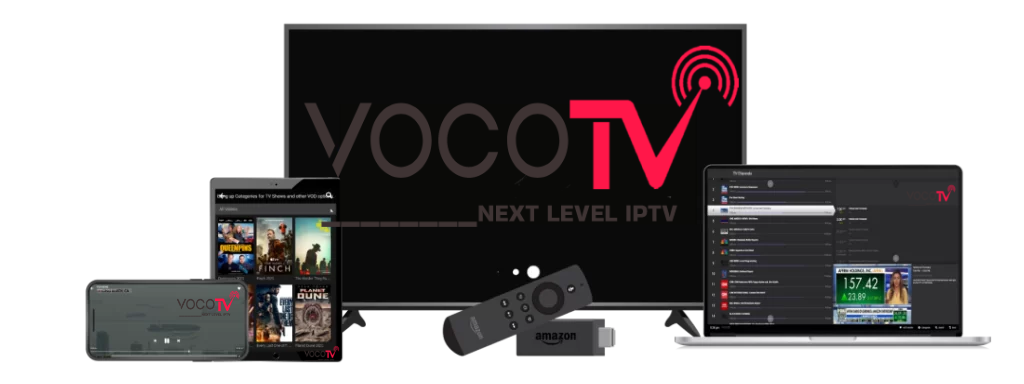
VocoTV supports streaming on a wide range of devices, including smartphones, tablets, smart tvs, and streaming devices like Amazon Firestick. VocoTV is designed to work on various devices, including Android TV Boxes, apple tv, roku, and Chromecast with Google TV, ensuring flexibility for users.

For optimal performance, plan for at least 10-15 Mbps for hd content and 25+ Mbps for 4K streaming to minimize buffering issues.

Voco TV Features & User Experience

The core voco tv features distinguish this service from cable or mainstream OTT platforms. Here’s what users typically get access to:

Feature

Description

Live TV

Thousands of channels across sports, news, kids, entertainment, and international categories

VOD Library

Movies and series available on demand

PPV Events

Boxing, UFC, and special broadcasts

EPG

Timeline grid with channel logos and multi-day scheduling

Quality Options

SD, HD, FHD, and 4K resolution tiers

VocoTV offers high quality streaming options, including HD, Full HD, and 4K resolution, ensuring a premium viewing experience. The platform utilizes advanced cloud infrastructure and anti-freeze technology to provide stable and reliable 4K streaming, minimizing interruptions during playback.

Easy navigation comes through category-based menus—Sports, Movies, News, Kids, International—plus search functionality and favourite channels lists. The electronic program guide displays now/next information with the ability to scroll forward several days for planning your viewing schedule.

Voco tv ensures streamlined content delivery with optimized routing for quick channel switching. However, actual experience still depends on your network quality and device setup.

Live TV Channels, VOD & PPV Events

VocoTV’s main draw is its vast array of live and on-demand content spanning multiple regions internationally.

Live TV Coverage: Voco TV offers access to over 25,000 live TV channels worldwide, covering categories including sports, movies, news, and international content. The channel lineup includes sports channels providing users real-time coverage of competitions and leagues from around the globe, including NFL, NBA, Premier League, La Liga, and UFC.

VocoTV features a diverse selection of movie channels, offering blockbuster films, classic movies, and global cinema. The service includes international channels tailored for audiences in regions such as the US, uk, Canada, Europe, MENA, and Asia.

VOD Library: Access between 80,000 to 100,000 video-on-demand titles, including the latest movies, popular series box sets, and regional content. New titles are added regularly.

PPV Events: VocoTV bundles Pay-Per-View events into its subscription plan without additional fees, unlike many competitors. This includes boxing matches, ufc fights, and special tournaments. Check the EPG and dedicated PPV section regularly, especially on weekends for major championship events.

Subscription Plans, Trials & Devices

VocoTV offers a variety of subscription plans, including options for 1, 3, 6, and 12 months, with prices starting as low as $15 per month for a single connection.

Pricing Structure:

Duration

1 Connection

2 Connections

4 Connections

5 Connections

1 Month

$15

$25

$50

3 Months

$80

6 Months

$100

12 Months

$150

$160

Each subscription tier includes:

  • Full channel access and VOD library

  • EPG functionality

  • PPV events at no extra cost

  • 24/7 customer support

Device Management: One subscription typically supports one simultaneous stream per connection purchased. The service is compatible with popular IPTV apps such as TiviMate, IPTV Smarters Pro, and Kodi, allowing users to access content seamlessly across different platforms.

Consider using any available trial period to test stability during evening peak hours before committing to longer terms. Match your subscription to your viewing habits—single tv versus multi-device households—and budget accordingly.

Installation, Setup & Easy Navigation Tips

Setup is simpler than installing satellite hardware but requires following guides carefully. VocoTV often requires the use of third-party players for streaming, whereas mainstream services have officially supported apps across all devices.

General Installation Steps:

  1. Complete your subscription purchase on the website

  2. Receive activation details via email (usually within minutes)

  3. Install a recommended IPTV player app (TiviMate, IPTV Smarters Pro, or similar)

  4. Enter your credentials or portal URL

  5. Wait for channels and EPG data to load

  6. Start watching

Navigation Tips:

  • Organize favourite channels for quick access

  • Use the search bar to find specific content by title

  • Learn remote shortcuts for switching between live tv and vod sections

  • Enable parental controls if kids are watching

Performance Tweaks:

  • Connect via Ethernet instead of Wi-Fi when possible

  • Close background apps on your device

  • Reboot your router periodically

  • Keep apps and firmware updated on android and other devices

Performance, Reliability & Support

IPTV services like VocoTV aim for seamless streaming, but real-world results vary by time of day, region, and ISP quality.

What to Expect:

  • Channel switching typically takes 2-3 seconds

  • Quality adjusts based on available bandwidth

  • Peak evening hours (8-10 PM) may show increased buffering

Users have reported reliability issues with VocoTV, including buffering during high-demand live events. Some customers describe months of smooth viewing, while others experience channel outages or constant buffering on specific regional content.

User-Side Factors:

  • Wi-Fi versus Ethernet connections matter significantly

  • Router quality affects stability

  • VPN usage can help with ISP throttling or geo-restrictions

  • Proper app configuration reduces error messages

Support Options: Voco TV offers 24/7 customer support to assist users with any technical issues they may encounter. The customer support provided by Voco TV is designed to resolve technical issues promptly, ensuring a reliable user experience. Voco TV’s customer support is accessible through live chat, allowing users to get assistance quickly.

A dedicated support team handles requests via chat, email, or ticket systems. However, historically, responsiveness and refund handling have been inconsistent based on user reviews. Test support during any trial period by requesting help with EPG setup or device configuration to gauge response quality.

Is VocoTV Right for You? Pros, Cons & Alternatives

Advantages:

  • Large international channel selection (25,000+ channels)

  • Sports and ppv events included without extra money

  • Flexible subscription plans for different budgets

  • Multi-device support for smartphones, tablets, mag boxes, and more

  • Significant cost savings versus cable (potentially 80%+ savings)

Drawbacks:

  • VocoTV operates in a legal “gray area” as the licensing for its global channel lists is often questioned by industry experts

  • Variable service uptime and buffering during peak demand

  • Disputes reported around refund processing and support tone

  • Reliance on third-party apps rather than official app ecosystems

Comparison with Mainstream OTT: IPTV services like Voco TV provide significantly more channels at a lower price point than standard on-demand streaming services. YouTube TV ($73/month) and FuboTV ($80/month) offer official apps and guaranteed reliability but fewer international options.

Who Should Consider VocoTV:

  • Sports fans wanting maximum leagues coverage world wide

  • Expats needing channels from their home country

  • Budget-conscious cord-cutters comfortable with tech setup

  • Users willing to trade guaranteed uptime for channel variety

Recommendation: Use trials where available, start with a 1-month subscription to test, watch during your typical viewing hours, and evaluate both content quality and customer service response before committing to longer-term plans. Sign up only after confirming the entertainment value matches your expectations through hands-on testing.

Online IPTVUSA IPTVvoco tv iptv tutorialsvoco tv iptv updatesvocotv 2024vocotv iptv streaming

How To Install IBO Player Pro On Firestick

About Ibo Player Pro

Ibo Player Pro is an advanced m3u stream player that supports all screen resolutions and provides easy access to TV shows, movies, sports, or anything you like. It has a simple UI with advanced controls and no lags or glitches while streaming your favorite channels.
Read through this guide to learn how to download and install Ibo Player Pro apk latest version 3.7 on mobile in 2024. Follow the step-by-step tutorial to download Ibo Player Pro apk for Android.

About Ibo Player Pro

IBO Player Pro stands as a frontrunner in the video streaming arena, providing a robust platform for users to enjoy online TV seamlessly. Whether you’re a tech enthusiast or a casual viewer, IBO Player caters to your entertainment needs.

How to install IBO Player PRo on your firestick/ fire tv

Step 1 – Prepare Your Streaming Device

1. From the home screen of your device, hover over the Find button and then click the Search box.
2. Search for and select Downloader.
3. Choose the Downloader app.
4. Click Download or Get.
5. Wait for the app to install.
6. You will then encounter Downloader Ready to launch! message.
7. Return to the home screen to hover over Settings and click My Fire TV.
8. Choose Developer Options.

IMPORTANT: Please see the notes below if you don’t see Developer Options on your screen.

9. Click Install unknown apps.
10. Find the Downloader app and click it.
11. This will turn Unknown Sources to On for the Downloader app and enable side-loading on your device.

Developer Options Not Available?!

If you are unable to locate developer options within settings, follow the instructions below to enable this to use the Downloader App.

1. Hover over the Settings icon and choose My Fire TV.

2. Click About. (You will see Developer Options is not available)

3. Click the middle slot button on Fire TV Stick 7 times

4. You will then see the message “No need, you are already a developer”.

5. Click back to return to Settings and select Developer Options.

6. Select Install Unknown apps.
7. Turn on Unknown sources for Downloader.

Now that I’ve properly prepared our device we can continue to the app installation.

Step 2: Sideload IBO Player Pro


1. Launch Downloader.

2. Hover over the URL bar and click the select button on your remote to open the keyboard.
 
3. Type the following URL to download and install IPTV smaters Pro: https://shorturl.at/hsMW1  or alternatively, you can type the short code for it 834339  and click “Go”
4. Wait for the application to download and click install, then wait for the app to be installed
5. Once App is installed, click open, you will see the app home screen has a unique MAC Address and Device Key for your Device
7. Scan the QR code using your mobile phone camera as shown on your screen or copy the URL to your web browser to access IBO Pro website 
7. once you are on https://iboplayer.pro/ using your mobile phone browser, Click “Activate” and add your device data (MAC Address & Device Key) and click “Login”
7. Once you are logged in, Click on “Playlist” then click on “XC Playlist” to add your IPTV service provider Xtream Codes Login
in this guide we are using playlist supplied by Vocotv one of the best leading IPTV service porivders
7. Fill the blanks with your Playlist info and click submit
8. now get back to your firestick/ firetv and click on “continue”
9. you are now successfully connected to the “7 Days trial” from IBO player pro on your Amazon Fire Device.
please note that in order to activate the app for your device you need to visit https://iboplayer.pro/manage-playlists/activate/ and click activate your Firestick/ Firetv 
you need to make sure to login to your device using the MAC address and Device Key. it only costs around 10$ per device for lifetile access
IPTV-Players-CI
broadband for iptvOnline IPTVUSA IPTVvoco tv iptv tips newsvoco tv iptv tutorialsvoco tv iptv updatesvocotv 2024vocotv iptv streaming

Best IPTV Players for FireStick (2026)

In this post, you will find the list of the Best IPTV Players for Fire Stick, New FireStick 4K, New FireStick 4K Max, Fire TV. 

Best IPTV Players

Here is our list of top IPTV players. Take a look.

1. TiviMate IPTV

TiviMate IPTV comfortably tops our list of best IPTV players for obvious reasons. The IPTV player has many features and a simplified pricing structure. 

Not only You can add as many playlists to the TiviMate IPTV, but also it supports all the relevant methods, such as web portal login, M3U, and Xtreme Codes, to let the user sign in with their favorite IPTV service. 

These features are worth enough to upgrade to the premium version, which costs $10 per year. There is no issue of availability here. TiviMate player is accessible on all the popular OS out there. 

IPTV Smarters is one of the most popular IPTV players available today and with good reason. With this app, you don’t have to depend on your IPTV provider for the interface.

You can enter your login credentials through the supported system, and IPTV Smarters will organize available channels and on-demand content into its clean, clutter-free layout.

This player also comes with a built-in video player that is easy to use and, sometimes, better than the

 downloadable app from the IPTV service.

In addition to the clean interface, IPTV Smarters supports file formats, including Playlist File/M3U URL and Xtream Codes API.

Like the other IPTV Players on this list, you can sign in with multiple IPTV subscriptions (from the same provider or different providers).


While IPTV Smarters must be sideloaded onto FireStick and Fire TV devices, they are officially available for Android Mobiles and iOS via the Google Play Store and App Store.


3. IBO Player

IBO Player pro is a recommendation in our list of the best IPTV players. Here’s why: IBO Player pro is available on all the platforms you can think of. You can access it on Android, iOS, Windows, Mac, FireStick, and Android TV. 

The features list includes parental controls, changing themes, M3U link support, and a beautiful interface to watch IPTV content. 

 IBO Player Pro’s video player is obviously one of its most notable features. You can enjoy numerous functions like subtitles, a sleep timer, video details, forward/backward video, and more. 


Regarding pricing, IBO player pro offers one week of a free trial. After that, you can purchase the premium version at a one-time fee of €10 (about $11) for each TV or device you use the app on.


How to Install IBO Player pro on firestick

4. Kodi

One of the most popular media players is Kodi. It allows you to stream online content through various addons. You can play movies, shows, Live TV, and more.

Many do not know that not only Kodi can also be used as an IPTV player, but also You can do that using the Kodi addon, in addition to the PVR IPTV Simple Client, available via the official Kodi Add-on Repository.

With this add-on, you can use any IPTV Subscription that supports the M3U playlist URL or XMLTV EPG URL.

Kodi is compatible with a broader range of device platforms than the other apps on this list of best IPTV players. In addition to Amazon Fire TV, Android TV, Android Mobiles, and iOS Mobiles, Kodi also works on Windows, Mac, Linux computers, Raspberry Pi, and more.

You can always try Kodi with the PVR IPTV Simple Client addon if your device doesn’t support the above IPTV players,


5. Perfect Player IPTV


Perfect Player is probably the most popular IPTV player today. With a neat and

 user-friendly interface, this player lets you easily stream through your favorite

 IPTV service. The app supports multiple URL formats (M3U, XC, XSPF) and

 EPG formats (XMLTV, JTV).

Perfect Player IPTV does not host any content of its own. You’ll need to integrate content from an IPTV

 service provider that supports playlists or EPG.

One of the best features of Perfect Player is that it lets you manage multiple IPTV subscriptions from the same screen. If you use multiple IPTV providers, you can access them all in one place.

Perfect Player is officially available on iOS and Android devices via App Store and Play Store. It can be sideloaded onto your Amazon FireStick and Fire TV devices. You can also download it for Windows and Linux from its official website (niklabs.com).

6. GSE Smart IPTV

GSE Smart IPTV is another IPTV player with the option to sign in with multiple IPTV subscriptions. This makes it a great option to watch channels via all your subscriptions in one place. All you need is an IPTV service provider with EPG playlist format support.

You can download the playlist and/or EPG onto your device, import it locally, or use a supported URL/hyperlink. You may also import playlists

from an FTP server. Presently, GSE Smart IPTV supports both M3U and JSON playlist formats.

This app lets you play media from local storage and external players like MX Player and IPTV.

You can officially get GSE Smart IPTV from the Apple Store and Play Store for iOS and Android devices. However, it must be sideloaded onto Amazon Fire TV and FireStick devices. It is also unavailable on Windows and macOS, but one can use an Android emulator (such as BlueStacks).

GSE Smart IPTV’s intuitive and user-friendly interface allows you to start immediately. Importing M3U and EPG is easy, too.

7. Smart IPTV

Smart IPTV is a payable IPTV player that requires a one-time fee of 5.49 EUR or around 6.10 USD per device. All other services on this list are free.

This IPTV player is supported on various devices, including Smart TVs, Android TV Boxes, Amazon Fire TV and FireStick, and Mag devices. It can be downloaded directly from the official app stores on most devices. However, it needs to be sideloaded onto Amazon FireStick.

Currently, Smart IPTV is not supported on iOS devices. Like the other players on this list, Smart IPTV supports the M3U playlist format, and you can import the playlist directly via the app. When you buy the app for your device, a MAC address is assigned to you.

You’ll need to visit my. siptv.app via a mobile or computer browser and use the MAC address to upload the playlist.

Besides the M3U format, Smart IPTV also supports the XMLTV EPG URL. it is popular because of its multi-device support and stable user-client; however, it is not as straightforward as the other options in this list of best IPTV players.

8. SS IPTV


SS IPTV is slightly down on our list for obvious reasons. All the IPTV players out there carry a modern UI with easy-to-use navigation. SS IPTV lacks on that front. 

Apart from that, it’s a capable IPTV player with all the bells and whistles. With most IPTV players, you need an M3U link or an active subscription to an IPTV service to get started.

That’s not the case here. SS IPTV has partnered with some IPTV providers, and they are natively included with the app. Additionally, you can get multiple interface languages, theme support, playlist add-ons, parental controls, and more. SS IPTV is available on iOS, Android, Windows, Mac, FireStick, Fire Cube, and Android-based smart TVs.

Wrapping Up:

So, here is our list of the best IPTV Players. As we’ve established in the post, these IPTV players can be downloaded from the official channels on various devices like Android mobile phones and iOS. However, they are not available on the Amazon App Store. Therefore, you must sideload them onto your FireStick or Fire TV.

maxresdefault
broadband for iptvOnline IPTVUSA IPTVvoco tv iptv tips newsvoco tv iptv tutorialsvoco tv iptv updatesvocotv 2024vocotv iptv streaming

How To Install TiviMate On Fire stick And Fire TV 2026

The following guide will show you How to Install TiviMate on Firestick and Fire TV.
We provide both a screenshot guide as well as a video tutorial that covers all aspects of Tivimate.
This article also provides setup instructions and tips to help you get the most out of it on your preferred device. Unlike other tutorials you may come across, our guide details every feature available within TiviMate to help you get the most out of this unrivaled streaming platform.

After over a year of hiatus, the developer has finally updated TiviMate to V5 with tons of advanced features and

 improvements. Currently, the stable version is 5.0.4.

Here are some of the features this latest update provides:
  • Revised User Interface
  • Addition of Logout Button (About menu item)
  • New official website to manage devices (more details below)
  • Display current connection attempts if playback fails
  • Open externally when an error message displays
  • Local Recording Directory improvements
  • General Bug Fixes

TiviMate is one of the best IPTV Players available for use on any device including the Amazon Firestick, Android

 TV/Google TV Boxes such as BuzzTV, NVIDIA SHIELD, Chromecast, onn. Google TV Box, Windows PC, and much

 more.

The app alone does not contain live channels for streaming, however, users can integrate an M3U URL or an Xtream

 Code URL within the app for live streaming.

Premium Features

Those who opt for the Premium plan are provided with over a dozen valuable features including:

  • Scheduled recordings
  • Custom recurring recordings
  • Support for multiple playlists
  • Backup/Restore
  • External Video Player
  • Parental Controls
  • Picture-in-Picture
  • Favorites management
  • Catch-up
  • Customizable TV Guide update intervals
  • Customizable Panels transparency and timeout
  • Customize Groups and Channels
  • Manual Channels sorting
  • Turning on the last channel on the app start
  • Auto frame rate (AFR)
  • Reminder to automatically play channel
  • Many More

How to Install TiviMate on Firestick/Android TV/Google TV

Use the guides below for installation and set-up instructions for this application on your preferred device.
 

Step 1 – Prepare Your Streaming Device

1. From the home screen of your device, hover over the Find button and then click the Search box.
2. Search for and select Downloader.
3. Choose the Downloader app.
4. Click Download or Get.
5. Wait for the app to install.
6. You will then encounter Downloader Ready to launch! message.
7. Return to the home screen to hover over Settings and click My Fire TV.
8. Choose Developer Options.

IMPORTANT: Please see the notes below if you don’t see Developer Options on your screen.

9. Click Install unknown apps.
10. Find the Downloader app and click it.
11. This will turn Unknown Sources to On for the Downloader app and enable side-loading on your device.

Developer Options Not Available?!

If you are unable to locate developer options within settings, follow the instructions below to enable this to use the Downloader App.

1. Hover over the Settings icon and choose My Fire TV.

2. Click About. (You will see Developer Options is not available)

3. Click the middle slot button on Fire TV Stick 7 times

4. You will then see the message “No need, you are already a developer”.

5. Click back to return to Settings and select Developer Options.

6. Select Install Unknown apps.
7. Turn on Unknown sources for Downloader.

Now that I’ve properly prepared our device we can continue to the app installation.

Step 2: Sideload TiviMate


1. Launch Downloader.

2. Hover over the URL bar and click the select button on your remote to open the keyboard.
 
3. Type the following URL to download and install IPTV smaters Pro: https://files.tivimate.com/tivimate.apk
and click “Go”
4. Wait for the application to download and click install.
5. Click Install.
6. You will then encounter Ready to launch! message. Click Done.
7. Click Done.
8. This will take you back to the Downloader app. Click Delete to remove the installation file.
Installation is now complete. Continue reading to learn how to set up the app on your preferred device.
How To Setup Free Version
After the app installation is complete, we can open the app and authorize an IPTV Service for use.
2. Choose Xtream Codes.
NOTE: Initializing an IPTV Service within TiviMate requires an M3U URL or Xtream Code. This can usually be found in your service welcome e-mail or by contacting customer support.

The steps below show how to set up the free version with your preferred IPTV Service

1. Open the app and click Add Playlist.
2. Choose M3U playlist or Xtream Codes.
in the following steps, we will activate Tivimate using Xtream Codes
3. put the login info of your preferred IPTV service provider
on this guide, we are trying one of the leading IPTV service providers, Vocotv as following:
Server address: http://vocotv.pro:8080
username: as provided by vocotv
password: as provided by vocotv


then click “Next”

4. wait for the playlist to load, it now should be showing “processing”
5. You will see then “Playlist is processed”. Click “Done”
6. Click OK.
7. TV Guide will import and you are able to start viewing!
iptv restream
Online IPTVvoco tv iptv tutorialsvoco tv iptv updatesvocotv 2024vocotv iptv streaming

IPTV Restream Provider – Local Restream IPTV – Best tv Restream

IPTV Restream Provider – Local Restream IPTV – Best tv Restream

In the realm of digital broadcasting, IPTV restream providers are gaining prominence. They offer a new way to distribute video content, breaking away from traditional methods.

IPTV restreaming allows broadcasters to reach a wider audience. It does this by leveraging the power of the internet. This technology is not just about expanding reach, but also about enhancing viewer experience.

In this guide, we delve into the world of tv providers. We’ll explore their role, benefits, and how to choose the best service for your needs.

Whether you’re a content distributor or an individual seeking better IPTV services, this article is for you.


Understanding IPTV Restreaming

IPTV restreaming is a digital broadcasting method. It uses the internet to distribute video content to various platforms simultaneously. This differs from traditional broadcasting, which relies on physical media and limited channels.

The process involves an IPTV restream provider. They take the original stream and replicate it. This allows the content to be viewed on multiple devices and platforms.

This technology is scalable and flexible. It can cater to a small local audience or a large global viewership.

In essence, IPTV restreaming is a game-changer in the world of video distribution.

For information about our Restream Program, please contact us on Telegram at @Tagtech

Benefits of Using an IPTV Restream Provider

IPTV restream providers offer numerous benefits for content distributors. They provide a cost-effective solution for video distribution. This is especially true when compared to traditional methods.

One key advantage is the potential for global reach. IPTV restreaming allows broadcasters to expand their audience beyond geographical boundaries. This is a significant step towards globalizing content.

Here are some other benefits of using an IPTV restream provider:

  • Enhanced viewer experience through local restream IPTV
  • Increased content accessibility and diversity
  • Support for pay-per-view and subscription-based models
  • Environmental advantages over physical media distribution

In short, IPTV providers can revolutionize the way you distribute content.

Key Features of a Reliable IPTV Restream Provider

Choosing an IPTV restream provider requires careful consideration. The provider should offer a range of features that cater to your specific needs. One such feature is scalability. This allows your service to grow as your audience expands.

Another important feature is flexibility. The provider should be able to adapt to changing demands. This includes supporting different content formats and distribution models.

Here are some other key features to look for:

  • High-quality video streaming
  • Multi-platform support
  • Robust security measures
  • Excellent customer support

In essence, a reliable IPTV stream provider should offer a comprehensive solution for your video distribution needs.

The Role of Local Restream IPTV in Enhancing Viewer Experience

Local restream IPTV plays a crucial role in enhancing the viewer experience. It reduces latency, ensuring that viewers can enjoy content without delays. This is particularly important for live broadcasts where real-time viewing is essential.

Moreover, local restream IPTV can provide better video quality. It minimizes buffering and interruptions, leading to a smoother viewing experience. In essence, local restream IPTV is a key factor in delivering high-quality content to viewers.

How to Choose the Best TV Restream Service

Choosing the best TV restream service can be a daunting task. There are several factors to consider, including the quality of service, the range of content, and the cost.

Here are some key points to consider:

  • Quality of service: Look for a provider that offers high-quality streaming with minimal buffering and interruptions.
  • Range of content: The best TV restream service should offer a wide range of content to cater to diverse viewer preferences.
  • Cost: Consider the pricing structure of the service. It should offer good value for money.

In conclusion, the best TV restream service should meet your specific needs and preferences. It’s worth taking the time to research and compare different providers before making a decision.

Technical and Security Considerations

When choosing an IPTV streaming provider, technical and security aspects should not be overlooked. The provider should have robust infrastructure to ensure stable and high-quality streaming.

VocoTv takes care of you while you can focus on supporting tour customers

Conclusion: The Future of IPTV Restreaming

The future of IPTV restreaming looks promising with technological advancements enhancing the viewing experience. As more people turn to digital platforms, the demand for IPTV services is expected to rise.

Choosing the right IPTV re-stream provider can make a significant difference in reaching a wider audience and delivering high-quality content. It’s an investment worth considering for anyone looking to expand their content distribution.

iptv-smarters-troypoint.jpg
Online IPTVUSA IPTVvoco tv iptv tutorialsvocotv 2024vocotv iptv streaming

How To Install IPTV Smarters Pro On Firestick – Full Tutorial 2026

How To Install IPTV Smarters Pro On Amazon Firestick – Full Tutorial (2024)

This guide will show you How to install IPTV Smarters Pro on Amazon Firestick 

This application continues to be one of the most popular IPTV Players on the market because it is completely free of charge and has tons of great features.

The developers continually update this app to ensure a flawless experience on just about any device you prefer.

It is important to note that the app itself does not host any live TV channels.  Users must input an  Xtream Codes or M3U URL which is typically provided by an IPTV provider.

The most popular streaming device to use in conjunction with IPTV Smarters is the Amazon Fire TV Stick 4K and Fire TV Stick 4K Max.  The reason for this is due to its jailbreaking capabilities, low price, and powerful specs.

Streaming live TV channels in HD quality through this application requires strong processing power so it’s important to use an adequate device.

There are numerous advantages associated with using this IPTV Player that make it a fabulous option for streaming live television.

These include:

  • Creating Favorites
  • Master Search
  • EPG
  • Parental Controls
  • Built-in Speed Test
  • Recording Capabilities
  • Multi-Screen Viewing
  • Picture in Picture
  • External Video Player Capability
  • Multiple Playlists
  • VPN Integration
  • TabView Supported
  • Backup/Restore Capabilities
  • External Player Support for VOD
  • and more

How to Install IPTV Smarters Pro on Firestick

In this guide, we are using an Amazon Fire TV Stick 4K Max. However, these instructions also work for other streaming devices including Android TV and Google TV.

Step 1: Install Downloader

1. From the home screen of your device, hover over the Find button and then click the Search box.

2. Search for and select Downloader.

3. Choose the Downloader app.

4. Click Download or Get.

5. Wait for the app to install.

6. You will then encounter Downloader Ready to launch! message.

7. Return to the home screen to hover over Settings and click My Fire TV.

8. Choose Developer Options.

IMPORTANT: Please see the notes below if you don’t see Developer Options on your screen.

9. Click Install unknown apps.

10. Find the Downloader app and click it.

11. This will turn Unknown Sources to On for the Downloader app and enable side-loading on your device.

Developer Options Not Available?!

If you are unable to locate developer options within settings, follow the instructions below to enable this to use the Downloader App.

1. Hover over the Settings icon and choose My Fire TV.

2. Click About. (You will see Developer Options is not available)

3. Click the middle slot button on Fire TV Stick 7 times

4. You will then see the message “No need, you are already a developer”.

5. Click back to return to Settings and select Developer Options.

6. Select Install Unknown apps.

7. Turn on Unknown sources for Downloader.

Now that I’ve properly prepared our device we can continue to the app installation.

Step 2: Sideload IPTV Smarters Pro


1. Launch Downloader.

2. Hover over the URL bar and click the select button on your remote to open the keyboard.


3. Type the following URL to download and install IPTV smaters Pro: http://www.iptvsmarters.com/smarters.apk

4. Wait for the application to download and click install.


5. You will then encounter Ready to launch! message, Click done

6. You are then prompted to delete the installation file. This will free up space on your device. Click Delete.

Installation is now complete.

Continue reading for more info on this app on Firestick, Fire TV, or Android TV/Google TV Box.

Step 3: Move App to Home Screen

If you are likely to use this application often, you will want to move it to the top of your apps list.

Follow the steps below to do so on a Firestick or Fire TV.

1. From the home screen, scroll over to select Applications.

2. Find IPTV Smarters and long-click the select button on your remote.


3. Drag it to the top of your apps list and click the select button again to drop it into place.

The guide below covers important details regarding this application including how to set the app up for use to stream live content and more.

How to Set Up IPTV Smarters

After installing, you may launch the application for use.

First, you are prompted to select your layout.

  • If using a streaming device such as Firestick or Android TV/Google TV, select TV and click SAVE.
  • Choose Login with Xtream Codes API
  • put your login info as shwoing
  • anynname: you can type your name
  • username: your IPTV username provided by the IPTV provider
  • password: your IPTV password provided by the IPTV provider
  • then click ” ADD USER “
  • Wait for User added successfully message to appear
  • You can now access your content for live streaming and more. Enjoy!
1715822903722
vocotv 2024vocotv iptv streaming

What the point of using VocoTV if you are thinking about using IPTV in 2026?

What’s the point of using VocoTV if you’re thinking about using IPTV in 2024?

PTV services have become increasingly popular in recent years. More and more households are ditching their cable subscriptions for wireless IPTV services.

Not only is IPTV cheaper than traditional cable, but it offers a wide variety of features and options. You can watch your favorite shows on any device, including your TV.

5/5

What’s the point of using VocoTV if you’re thinking about using IPTV in 2024?

There are hundreds of channels to choose from, with over 17,000 available. The basic IPTV package costs just $15 per month, and allows you to watch on up to five devices at once.

For more information about IPTV, read review. VocoTV IPTV has impressed tens of thousands of users around the world. It offers a free trial, so you can try it out for yourself. Are you looking for a reliable and affordable IPTV provider? VocoTV is a

VocoTV is a risk-free IPTV service that allows new customers to try it for an entire day. It offers all of the big sports packages and accepts cryptocurrency, big credit cards and debit cards for payment.

It also supports VPNs and is compatible with 3rd party players.

VocoTV’s IPTV service is available on firesticks, android, iOS, web player and Roku. How secure is Voco TV through IPTV? Can we watch it legally? What are the stations Voco TV offers? In this Voco TV detailed review, we will answer these questions and more.

The base package of VocoTV offers over 17,000 live channels for $15 a month. These channels include Entertainment, Sports, Children’s, Foreign, Music, and many other types of programming. Some IPTV packages do not include popular extras such as Pay-Per-view events or big sports networks. If you prefer a more basic EPG, you can get one of those as well.

The content is available in both Standard and High definition. The content is available for streaming in categories such as News, Sports, Entertainment, Movies, Music, Kids, and More. The EPG functionality is built-in, so you can browse the channel lineup with ease. The program guide is easy to use. This IPTV service is ad-free. IPTV content is available with a wide range of streaming devices.


1 month access Vocotv

$15.00
1 connection
  • Live TV and EPG Guide
  • Movies and VOD Shows
  • PPV and Sports Events
  • No IP Lock Use Vocotv Anywhere

3 months access Vocotv

$40.00
1 connection
  • Live TV and EPG Guide
  • Movies and VOD Shows
  • PPV and Sports Events
  • No IP Lock Use Vocotv Anywhere

6 months access Vocotv

$60.00
1 connection
  • Live TV and EPG Guide
  • Movies and VOD Shows
  • PPV and Sports Events
  • No IP Lock Use Vocotv Anywhere

12 month access Vocotv

$120.00
1 connection
  • Live TV and EPG Guide
  • Movies and VOD Shows
  • PPV and Sports Events
  • No IP Lock Use Vocotv Anywhere
Free Trial IPTV
Online IPTVUSA IPTVvoco tv iptv tips newsvocotv iptv streaming

VOCO TV Best IPTV Service Provider in 2026 VOCOTV – NEXT LEVEL IPTV

VOCOTV - NEXT LEVEL IPTV - VOCOTV

You have the flexibility to enjoy your preferred shows on all your devices, including your television, and there is an extensive selection of channels available. VocoTV IPTV provides access to more than 17,000 stations at a monthly cost of only $15. The basic package allows for simultaneous streaming on up to five devices.

VOCOTV - NEXT LEVEL IPTV - VOCOTV

VOCOTV 1 Of The Best IPTV Service with 4K Premium channels, Movies, Sports, PPV Events, Kids Network, VOD and Much more.

WATCH YOUR FAVORITE SHOWS, MOVIES AND LIVE CHANNELS ON VOCOTV
$120/ per year
01

LIVE TV , VOD , PPV

Vocotv Works on all Devices and Software. Including Amazon Firestick , Easy Setup . FULL USA / CANADA / UK / EUROPE Channels Line-up & More.

02

Selected Content

Your Favourite TV channels , movies , series , sports & PPV on Vocotv.

03

VocoTV App

Take your TV with you while you're on the go. With non-IP Lock you can use your login on vocotv app anywhere you want.

More to Stream.

Best Iptv subscription Enjoy unlimited access to the world of entertainment. Kick back with full seasons of exclusive Originals, the mega-hit movie library, popular TV-shows, news, late-night comedy, live sports, and more. That’s a $14.99 a month value at no extra cost, no strings attached.

Watch exclusive sports channels every week. Get top-rated TV customer service. Bundle your favorite services.

Chat with us

2
home2_01-2

Benefits Vocotv

Satellite Chanells

Best Iptv Service Enjoy Top rated TV channels with the best streaming experience. vocotv next Level IPTV

Ultra-speed Connection

Once you sign up whether a Free Trial or a Paid Plan on vocotv. You get access to your login credentials.

Fast Support 24/7

Get a 24 hours 7 days a week Technical Support.

Home Security

With one time payments and 256-Bit encryption module. Your minimal data is safe.

Free Installation

No need "Tech Savvy". You just download the app on your TV and you could tell what to do.

Flexible Tariff Plans

You will not find a second place to save the money with such Quality Standards.

Your Perfect Plans.

Enjoy unlimited access to the world of entertainment. Kick back with full seasons of exclusive Originals, the mega-hit movie library and more.

1 month access Vocotv

$15.00
1 connection
  • Live TV and EPG Guide
  • Movies and VOD Shows
  • PPV and Sports Events
  • No IP Lock Use Vocotv Anywhere

3 months access Vocotv

$40.00
1 connection
  • Live TV and EPG Guide
  • Movies and VOD Shows
  • PPV and Sports Events
  • No IP Lock Use Vocotv Anywhere

6 months access Vocotv

$60.00
1 connection
  • Live TV and EPG Guide
  • Movies and VOD Shows
  • PPV and Sports Events
  • No IP Lock Use Vocotv Anywhere

12 month access Vocotv

$120.00
1 connection
  • Live TV and EPG Guide
  • Movies and VOD Shows
  • PPV and Sports Events
  • No IP Lock Use Vocotv Anywhere

Start Now. Save All Year.

Best Iptv subscription – Super Savings based on $15/mo when you choose a 12 months access plan. Whole year of TV streaming with just $120 one time payment.

$120/ per year
100
+

Years of
experience

250
GB

BANDWIDTH CAPACITY

300
+

POINT OF PRESENCE

1000
%

UPTIME GUARANTEE

100
+

Years of
experience

250
GB

BANDWIDTH CAPACITY

300
+

POINT OF PRESENCE

1000
%

UPTIME GUARANTEE

n the ever-changing landscape of entertainment, the way we consume content has changed drastically. Traditional cable TV is giving way to more flexible and versatile options, and IPTV (Internet Protocol Television) has emerged as a game changer in this arena. Among the leading providers , Vocotv IPTV is at the forefront and offers a wide range of channels and services tailored the audience.

5/5
تصميم-بدون-عنوان975180535328488510211..jpg
Online IPTVvocotv iptv streaming

VocoTV gratis provperioder.

Status: Gratis provperioder tillgängliga.

Steg 1.

Skapa ett konto.

Öppna vÃ¥r kostnadsfria provsida

Välj Beställ nu:

Klicka på kassan

Fyll i din information, faktureringsadress och lösenord för ditt VOCO TV-konto (du kan använda ditt konto efteråt för att hantera alla dina prenumerationer)

Välj valfri betalningsmetod (kom ihÃ¥g att vÃ¥r provperiod är GRATIS) och klicka sedan pÃ¥ slutför beställning.

Grattis!  , Nu är din kostnadsfria provperiod klar ,Din provinformation kommer att skickas via e-post.  Kontrollera din skräppost- eller skräppostmapp efter bekräftelsemeddelandet när du registrerar dig.

Steg 2.

Njut av gratis provperiod.

När du loggar in för första gÃ¥ngen kommer en automatisk Ã¥tkomst pÃ¥ 24 timmar att tilldelas ditt konto.  Du kan se allt tillgängligt innehÃ¥ll.  Du kan logga in pÃ¥ alla enheter du har.

Obs: Denna gratis provperiod fungerar endast en gång för en ny användare.

Varför kanske du vill prova vår gratis provversion av IPTV och överväga vår tjänst?

Den levereras omedelbart

När du skickar in din begäran om gratis provperiod gör vårt system en snabb sortering och kontrollerar din inlämning. Efter en snabb granskning, om allt går grönt ljus, kommer du att få vårt svar med provdetaljer i det e-postmeddelandet.

Vi erbjuder IPTV-test även under liveevenemang

Vi anser att kunder ska kunna utvärdera vÃ¥r tjänst under direktsända sportevenemang.  Därför tillhandahÃ¥ller vi gratis IPTV även under heta liveevenemang.  Detta kommer att ge dig en bra chans att testa tjänsten under hög användning.

VÃ¥r gratis provperiod pÃ¥ IPTV är samma som ett betalkonto

Alla och alla landskanaler som vi erbjuder pÃ¥ premiumkonton är tillgängliga pÃ¥ vÃ¥r provÃ¥tkomst.  Kvaliteten och kvantiteten kommer att vara identisk med ett betalkonto.  Saker som VIP-Ã¥tkomst eller begränsad provÃ¥tkomst har ingen plats i vÃ¥r tjänst.  Kunder har all rätt att testa hela tjänsten medan de är pÃ¥ en gratis provperiod pÃ¥ IPTV.

köp prenumeration nu

bli återförsäljare

Handledningar

bästa iptv leverantör i sverige 2024

blog_11
voco tv iptv tutorialsvocotv iptv streaming

How to Install IPTV on your Windows PC 2026(VLC Player)

Whether you are building an enterprise web portal or a state-of-the-art website, you always need the right modern tools. Well-built and maintained PHP frameworks provide those tools in abundance…