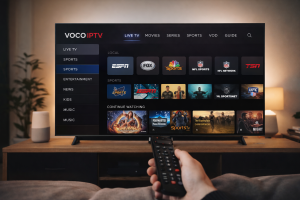
Voco IPTV – Official VocoTV® Guide for USA & Canada
If you searched for Voco IPTV, you are most likely looking for the official VocoTV® service, the correct website, and the fastest way to get started in the USA or Canada. This page is built to make that simple. Instead of sending you through random third-party pages or copied brand references, this guide takes you directly to the most useful official VocoTV® resources for subscriptions, free trial access, setup, login, FAQs, and account help.
VocoTV® is designed for users who want a flexible streaming experience across popular devices such as Firestick, Android TV, Smart TVs, phones, tablets, and other compatible streaming platforms. Whether you are brand new to IPTV or you already know what you need, the goal is the same: get to the right page fast, choose the right option, and set up your service without wasting time.
What Is Voco IPTV?
Voco IPTV refers to the official IPTV service offered through VocoTV®. IPTV stands for Internet Protocol Television, which means content is delivered over an internet connection rather than through traditional cable or satellite systems. For many users in the United States and Canada, that creates a more flexible setup across different devices and locations.
When people search for “Voco IPTV,” they are usually trying to find one of a few things: the real VocoTV® website, subscription pricing, free trial access, installation instructions, account login, or support. That is why this page focuses on sending users to the official VocoTV® pages that actually matter instead of stuffing in filler content.
If you want the main commercial page first, go to the official VocoTV® homepage. If you want to test before buying, go straight to the official 24-hour free trial page. If you already know you want a paid plan, use the official subscription pricing page.
Why Users in the USA & Canada Search for Voco IPTV
Most users searching for Voco IPTV are not looking for long technical explanations. They usually want clear answers to practical questions:
- Where is the official VocoTV® website?
- How much does VocoTV® cost?
- Can I test it before paying?
- Does it work on Firestick or Android TV?
- Where do I find install instructions?
- How do I manage my account or login?
That is exactly why VocoTV® already has dedicated official pages for pricing, free trial access, installation tutorials, FAQs, and account management. For users in the USA and Canada, that structure matters because it makes the path cleaner: choose a plan, test the service, install it on the right device, then manage everything from one account area.
If you already have an account or need billing-related access, use the VocoTV® My Account page. From there, users can reach login, sign-up, subscription information, and setup help in one place.
VocoTV® Plans and Subscription Options
One reason brand searches like “Voco IPTV” are important is that users often want to compare plans quickly without landing on unrelated pages. VocoTV® provides a dedicated subscription page where users can review plan options and pricing. If your goal is simply to see official offers and get started, the best direct page is the VocoTV® pricing page.
For users who are not ready to commit immediately, VocoTV® also provides an official 24-hour free trial. That is useful if you want to test device compatibility, account access, streaming performance, or setup flow before choosing a longer plan.
Many users in the United States and Canada start that way: free trial first, then upgrade after confirming that the service works smoothly on their preferred setup. It is a cleaner path than jumping directly into a subscription with no testing.
Best Devices for VocoTV®
VocoTV® is commonly used across a wide range of streaming devices. For many people, Amazon Fire TV / Firestick is the easiest place to start because it is simple, popular, and widely used in North American homes. Others prefer Android TV devices, Smart TVs, phones, or tablets depending on how they stream at home.
If you want to learn more about the platforms themselves, you can visit the official pages for Amazon Fire TV, Google TV / Android TV, and Apple TV.
For VocoTV®-specific instructions, use the official How to Install IPTV page. That page is the better internal destination because it is built specifically for VocoTV® users who want setup steps for common devices.
How To Start with VocoTV®
If you want the cleanest path from search to setup, use this order:
- Visit the VocoTV® pricing page and check the current plan options.
- If you prefer to test first, request access through the free trial page.
- Follow the official installation guide for your device.
- If you have account questions, use the My Account page.
- For common questions, open the VocoTV® FAQ page.
This flow works well because it mirrors what real users usually need: plan, test, install, manage, troubleshoot.
Setup, Support, and Account Help
A strong brand page should not just talk about the service. It should guide users to the right support pages. VocoTV® already has dedicated internal pages for that. If you need access to login, signup, subscription details, or account support, use the official account page.
If you need answers to common user questions, go to the official FAQ page. That page covers practical topics such as free trial access, setup timing, multiple devices, travel usage, payment methods, and other common VocoTV® questions.
If you are still deciding where to begin, the main official homepage is the best starting point. From there, you can move into plans, trial, tutorials, or account access depending on what you need next.
Why It Matters to Use the Official VocoTV® Pages
When users search for “Voco IPTV,” they may find copied pages, brand mentions, resellers, or unrelated websites using similar wording. That is exactly why an official guide page matters. It helps users land on the real VocoTV® pages without confusion and keeps them inside the official site structure for pricing, trial access, installation, support, and account management.
For users in the USA and Canada, clarity matters even more. A clean brand path reduces friction and makes it easier to choose the correct page right away. That is why this guide focuses on the official VocoTV® pages instead of sending users elsewhere.
Frequently Asked Questions
Is Voco IPTV the same as VocoTV®?
Yes. Users often search for “Voco IPTV” when they mean the official VocoTV® service and want the correct website, plan information, setup tutorials, or account access.
Where can I find official VocoTV® pricing?
You can view the official plans on the subscription pricing page.
Can I test VocoTV® before buying?
Yes. New users can start with the official 24-hour free trial page.
How do I install VocoTV®?
Use the official VocoTV® installation guide for setup help.
Where do I manage my account?
You can use the My Account page to reach login, sign-up, account support, and service-related help.
Final Word
If you searched for Voco IPTV, the official destination is VocoTV®. The fastest path is simple: start on the official homepage, compare plans on the pricing page, try the 24-hour free trial, and follow the official installation guide when you are ready to set up your device.
That keeps users on the real VocoTV® site, connects the brand query to the official pages that matter most, and gives visitors in the USA and Canada a clear route from search to subscription, trial, setup, and support.